Olymptrade Sign-Up Guide 2026: How to Create and Verify Your Account Fast

Creating an Olymptrade account is a simple and beginner-friendly process that lets you start trading global markets in just a few minutes. The platform is designed to make registration easy, secure, and accessible on both desktop and mobile devices.
In this step-by-step guide, you’ll learn how to create your Olymptrade account, what information you’ll need, and how to get started confidently as a beginner.

How to Sign Up in Olymptrade Broker
As we checked in the Olymptrade Review, the sign-up process in this broker is straightforward. To create an account on this platform, you need to follow these steps:
- Enter Olymptrade website;
- Enter your email and create a password for your account;
- Confirm your email address.
| Login Requirements | Yes / No |
|---|---|
| Email Login | Yes |
| Phone Number Login | No |
| Google Account Login | Yes |
| Apple ID Login | Yes |
| Facebook Login | Yes |
| Username Required | No |
| Password Required | Yes |
| Two-Factor Authentication | Optional |
| Country of Residence | Yes |
#Step 1: Visit the Official Olymptrade Binary Option Website
Begin by navigating to the Olymptrade Website. Ensure you are accessing the correct site to avoid phishing attempts. The Olymptrade Website will provide a clear and user-friendly interface, guiding you to the registration page.
Once on the website’s homepage, click on [Try for free], which will direct you to the registration form.

#Step 2: Complete the Registration Form
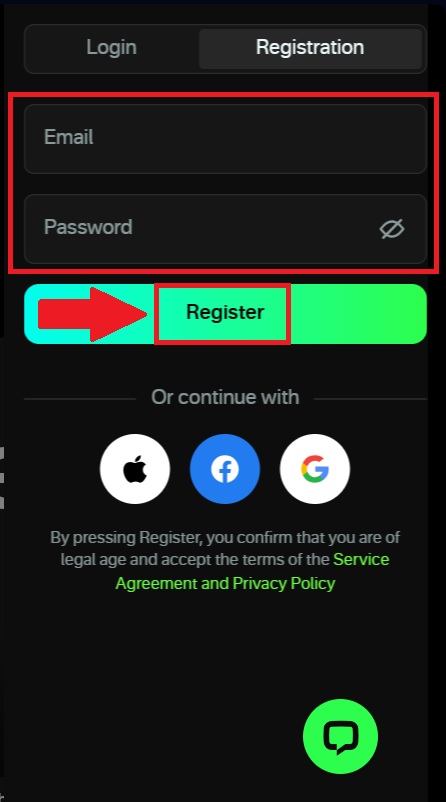
When registering with your email, the registration form will ask you to provide basic personal information to create your account. You need to enter a valid email address that will be used for account communication and input a secure password.
After carefully reviewing the information, click the [Register] button to complete the registration process and proceed to the next step.
#Step 3: Start your Trading Journey with Olymptrade
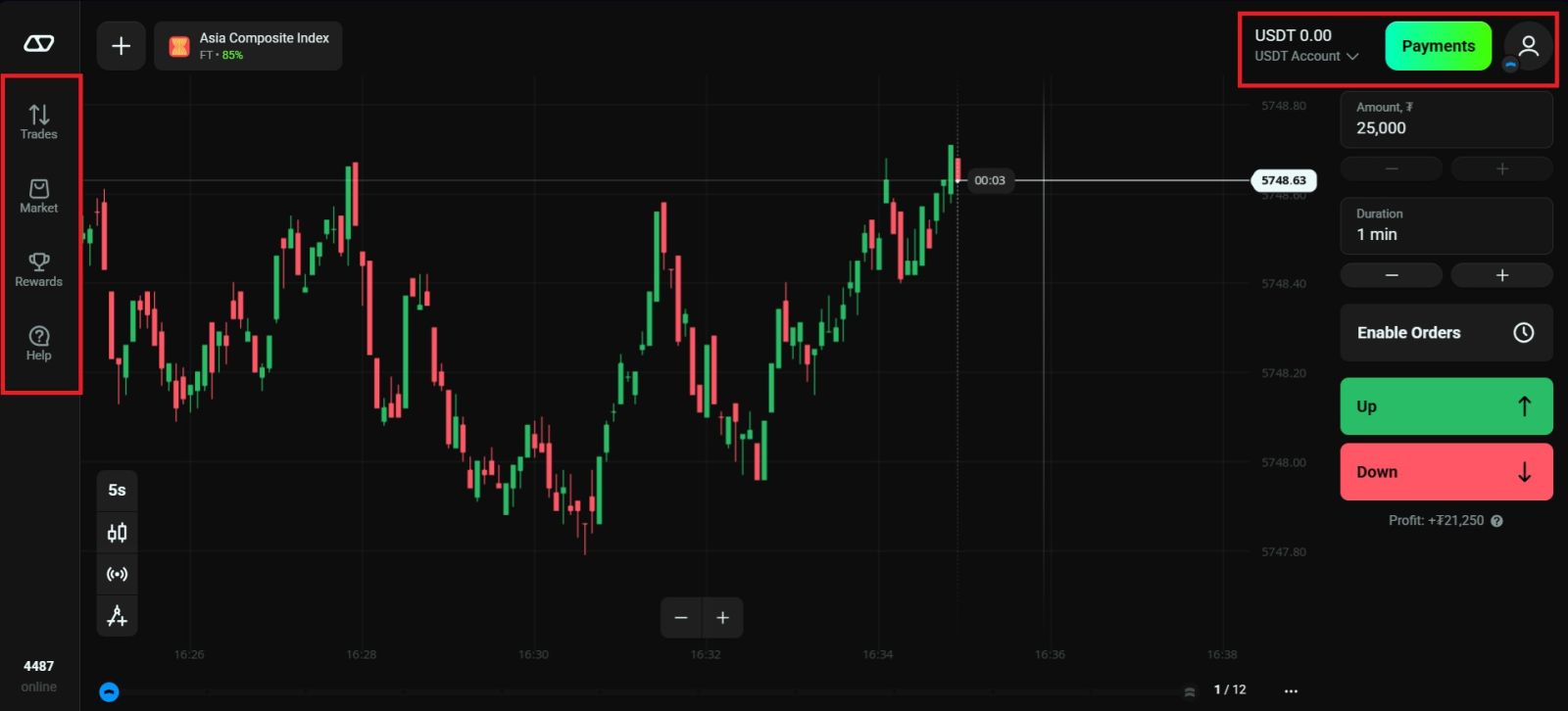
After completing all the required registration steps, you have successfully created your Olymptrade account. You can now access your personal dashboard, where you can manage your account settings, choose a trading platform, open demo or real trading accounts, and proceed with account verification.
With your account successfully registered, you are one step closer to funding your account and starting your trading journey with Olymptrade.
Conclusion: Create Your Olymptrade Account Quickly and Securely
Opening an Olymptrade account is a simple and efficient process tailored for beginners who are ready to start their trading journey. By following the step-by-step registration instructions and entering accurate details, you can activate your account and gain access to the platform’s trading tools and features.
Completing your account setup correctly ensures smooth deposits, withdrawals, and full platform functionality. With your Olymptrade account successfully created, you can begin exploring markets and trading with confidence.