Olymptrade Register and Trade: Create Account and Start Trading

This walkthrough gives step-by-step instructions for account registration, document verification, funding options and minimum deposit expectations, switching between demo and live accounts, and placing a basic trade with asset selection, stake size, expiry choices, and simple risk controls. It includes quick troubleshooting for failed deposits, verification rejections, and login issues, plus best-practice security tips for passwords and withdrawal methods so you can register correctly and move into trading with realistic expectations and fewer interruptions.

How to Register at Olymptrade
How to Register with an Email
1. You can sign up for an account on the platform by clicking the “Registration” button in the upper right corner.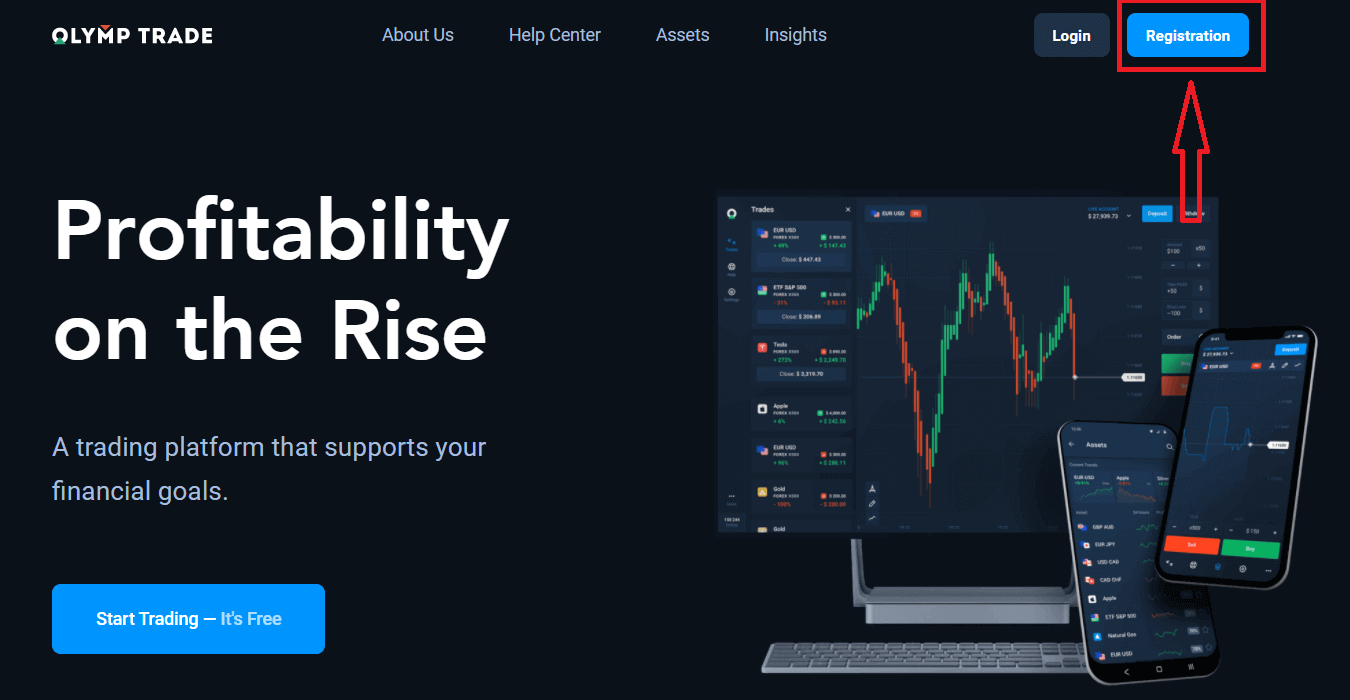
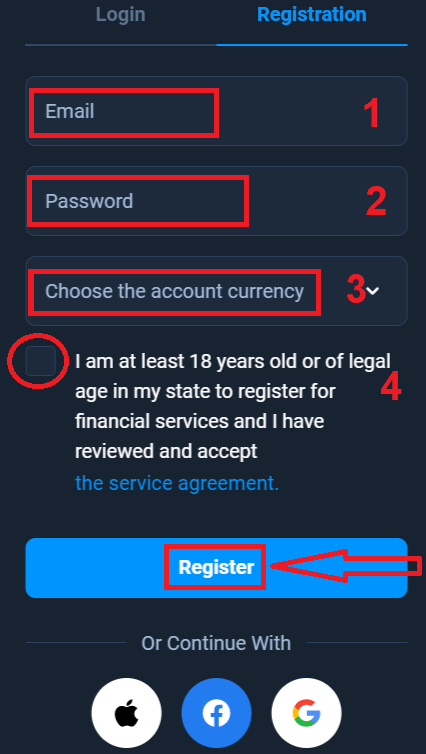
2. To sign-up you need to fill in all the necessary information and click "Register" button
- Enter a valid email address.
- Create a strong password.
- Choose the account currency: (EUR or USD)
- You also need to agree to the service agreement and confirm that you are of legal age (over 18).
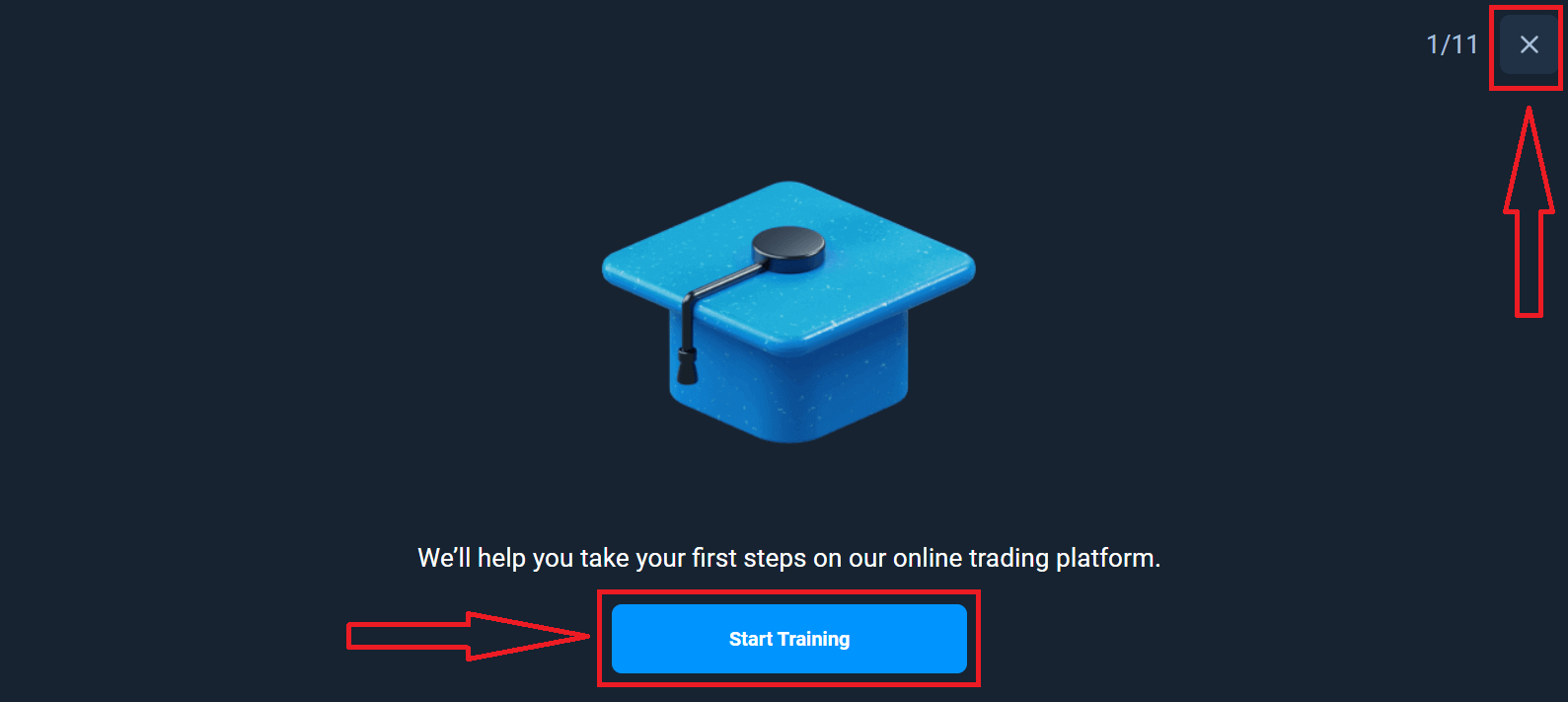
Congratulation! You have registered successfully. Firstly, We’ll help you take your first steps on our online trading platform, click "Start Training" to take a quick view of Olymptrade, If you know how to use Olymptrade, click "X" in upper right corner.
Now you are able to start trading, you have $10,000 in Demo account. A Demo account is a tool for you to get familiar with the platform, practice your trading skills on different assets and try out new mechanics on a real-time chart without risks.
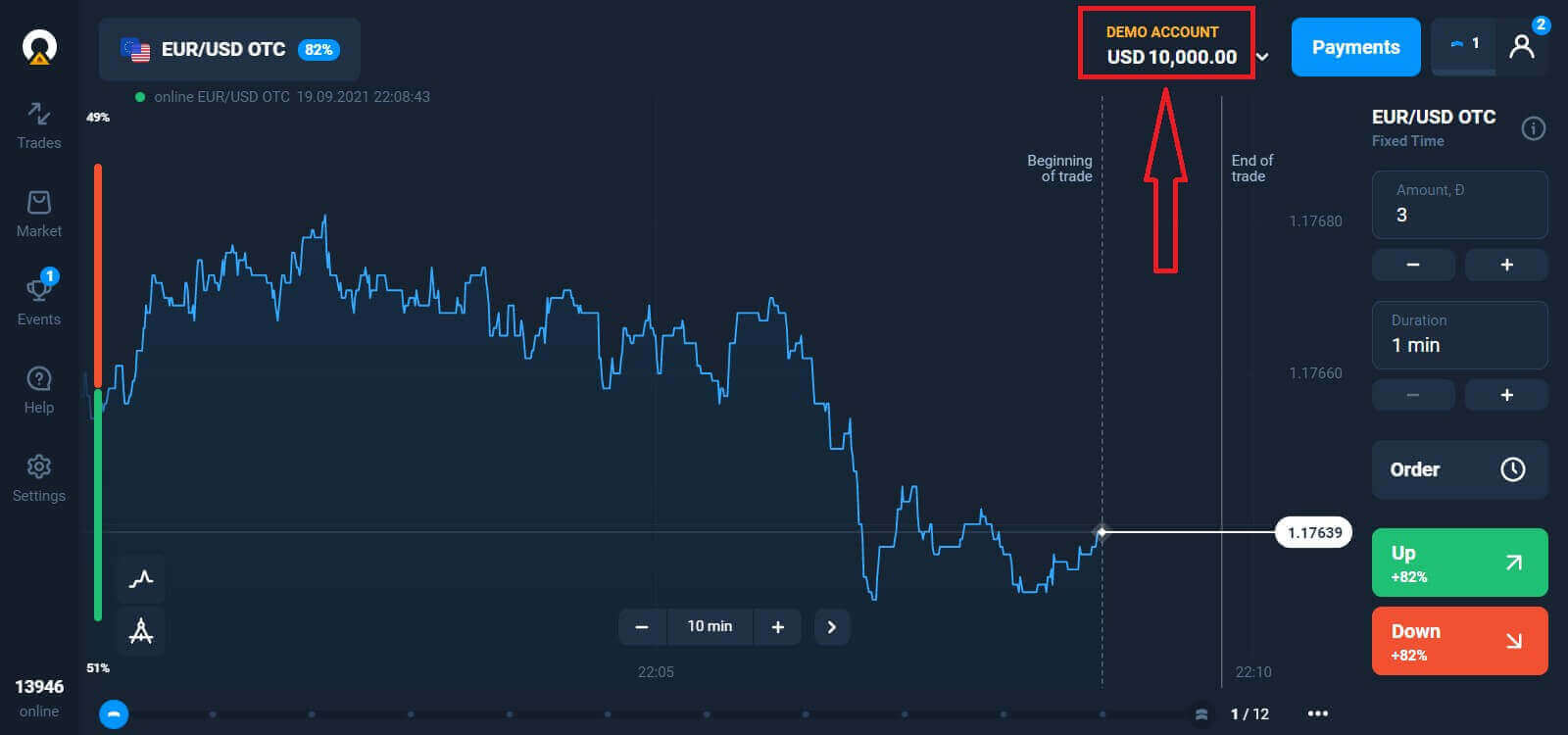
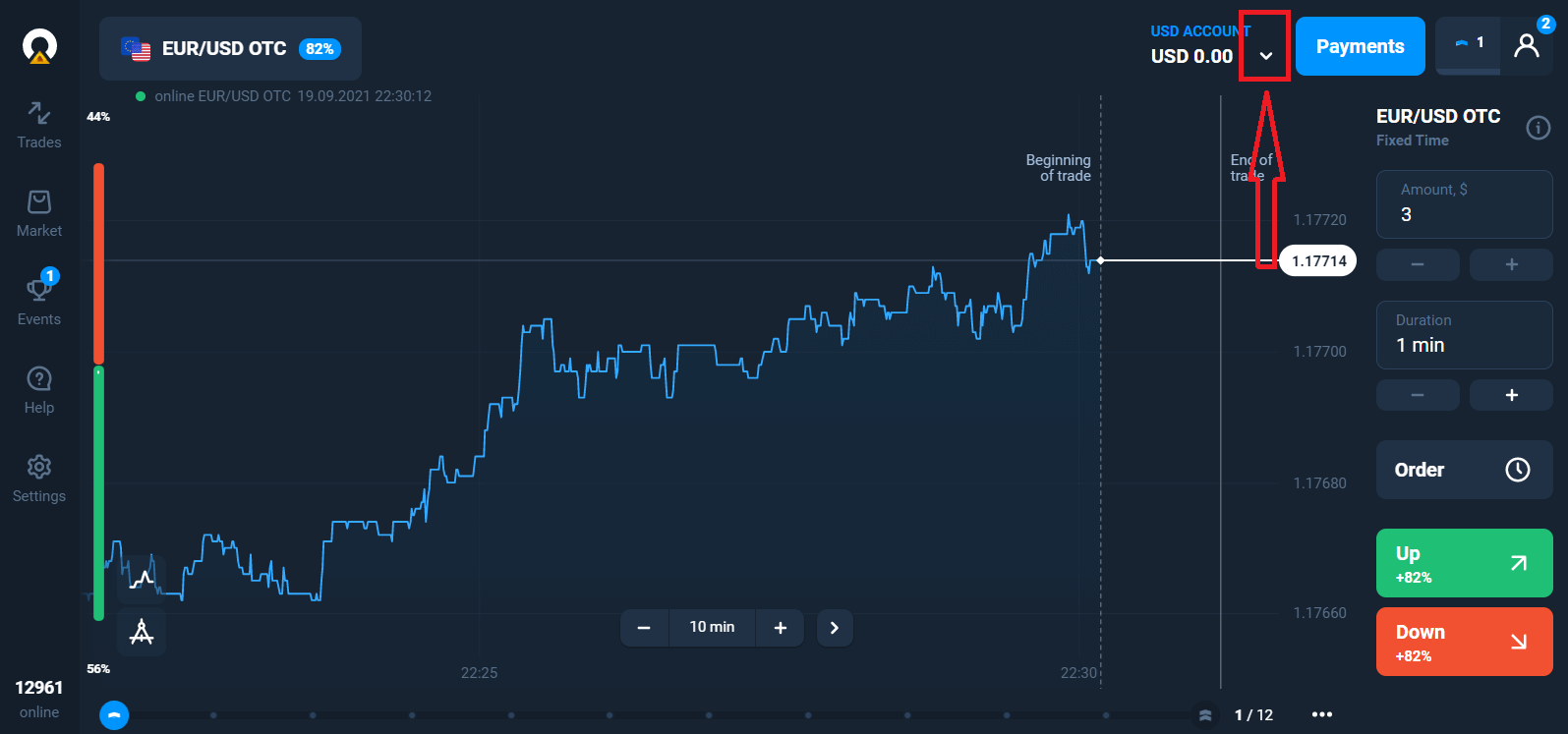
You can also trade on a real account after depositing by clicking on the live account that you want to top up (in the "Accounts" menu),
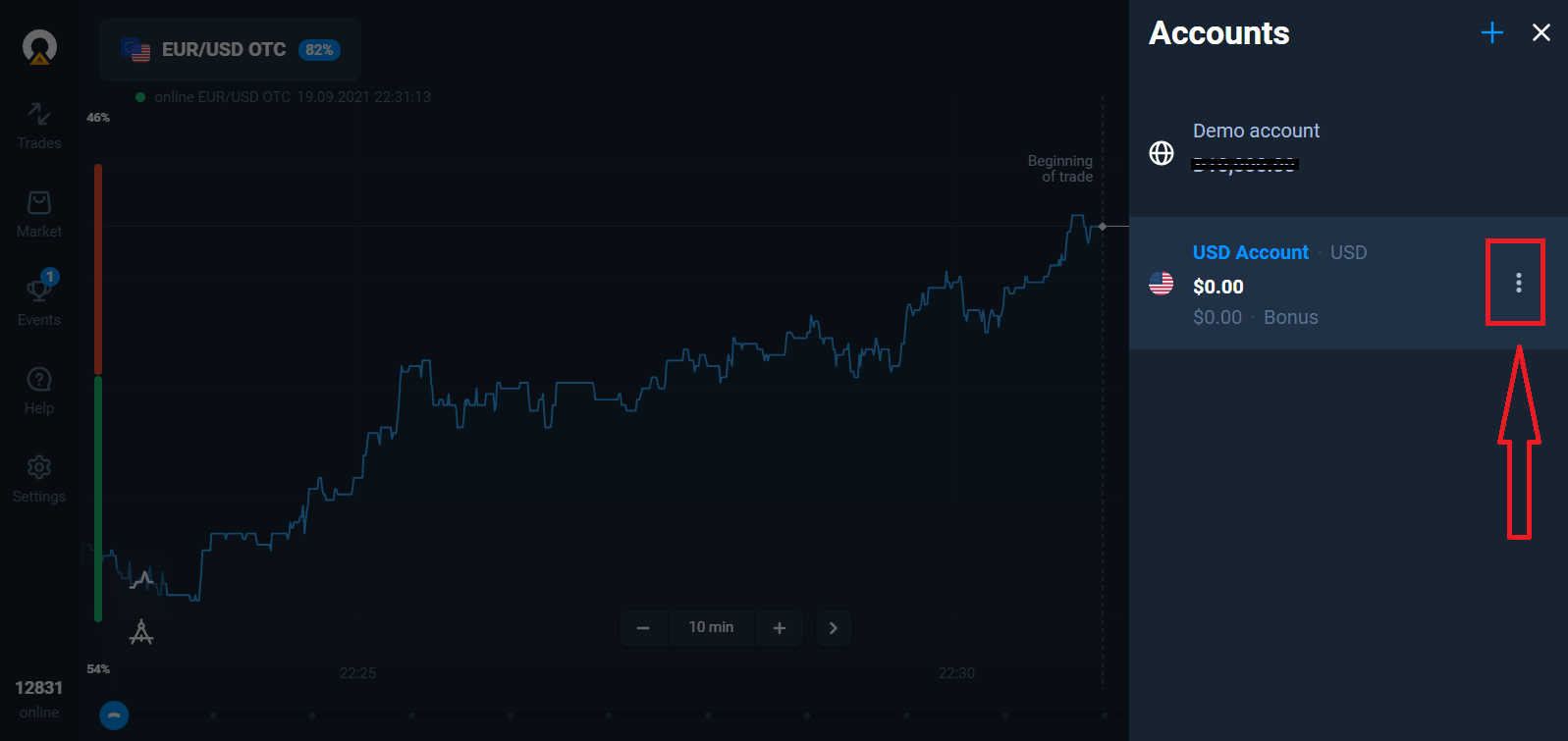
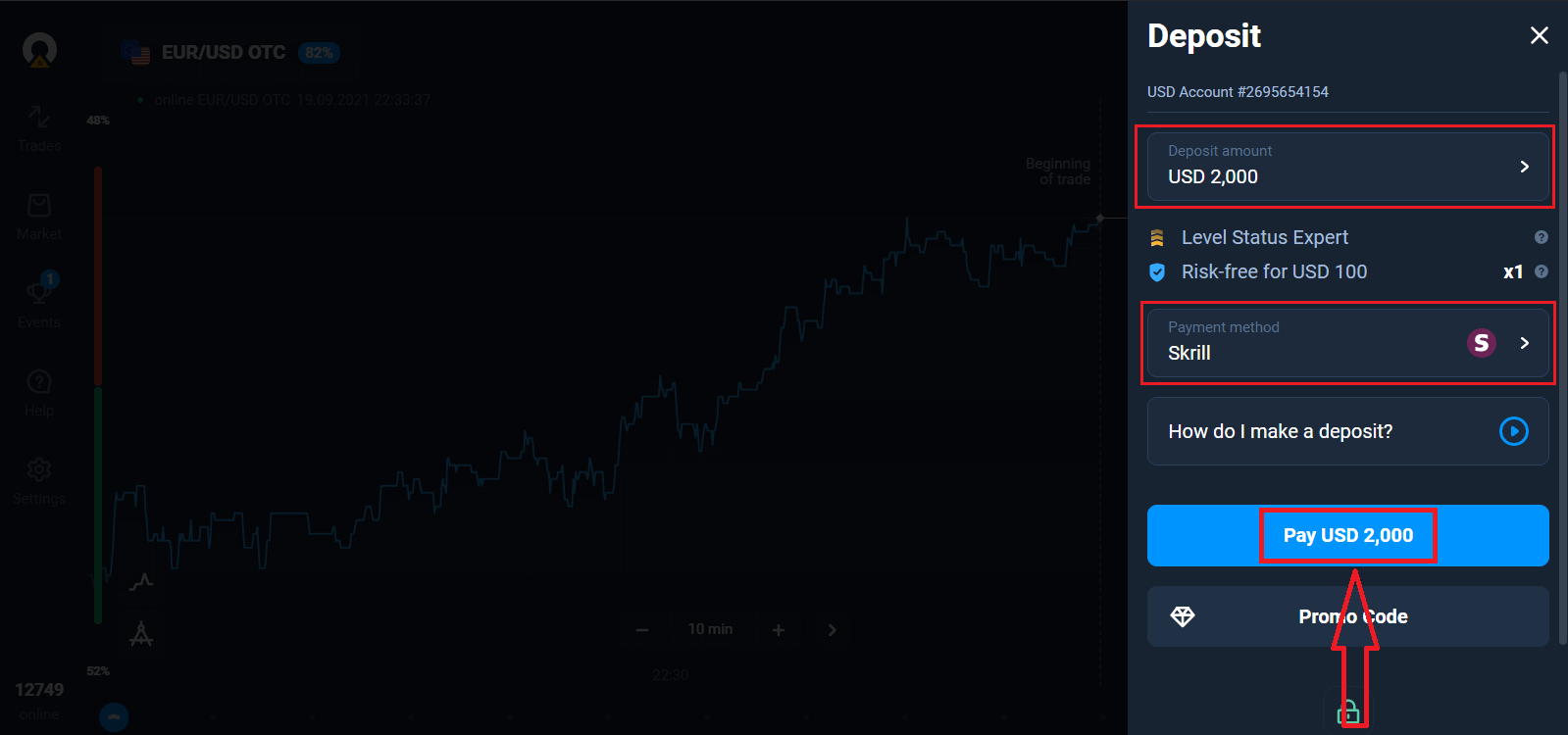
Pick the "Deposit" option, and then choose the amount and the method of payment.
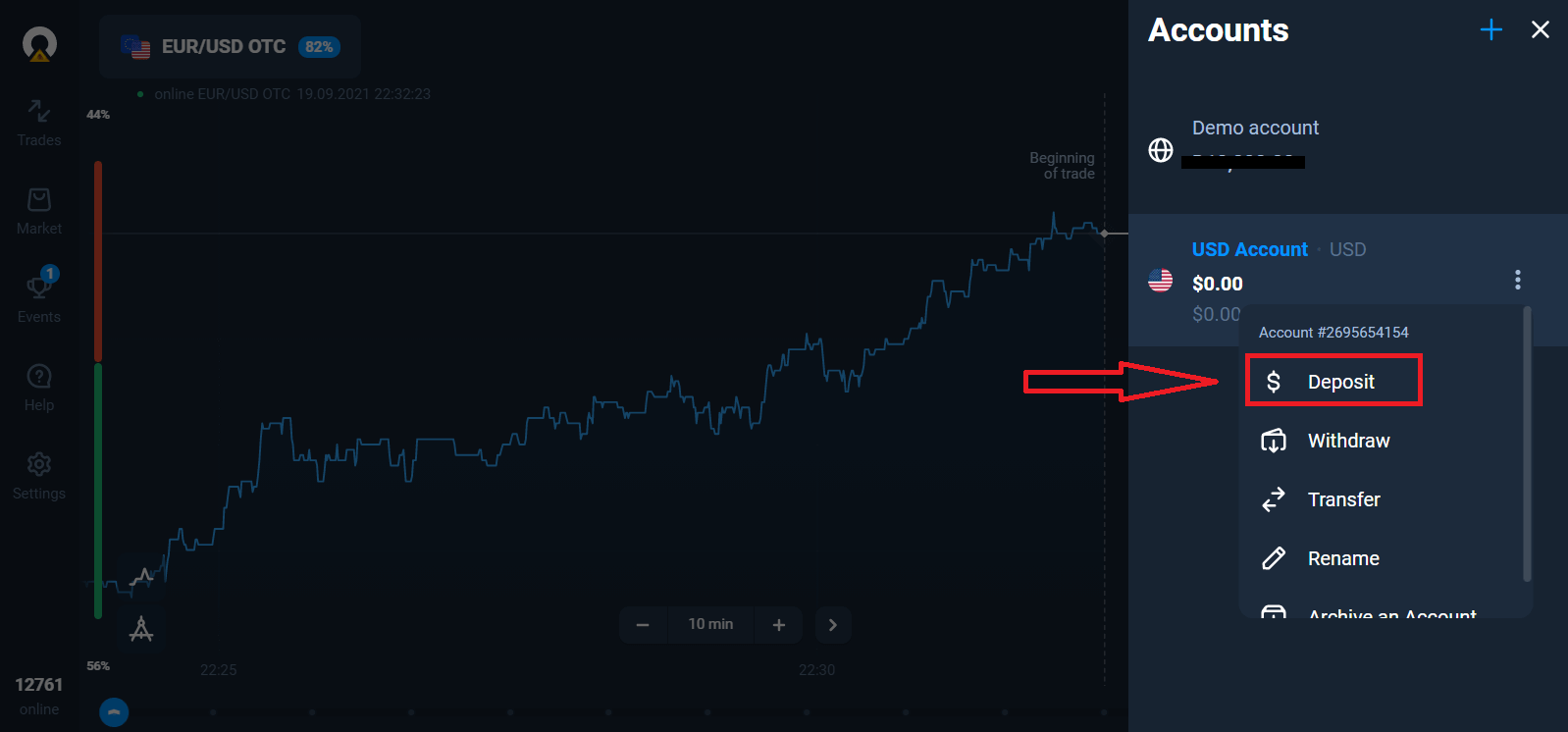
To start Live trading you have to make an investment in your account (The minimum deposit amount is 10 USD/EUR).
How to make a Deposit in Olymptrade
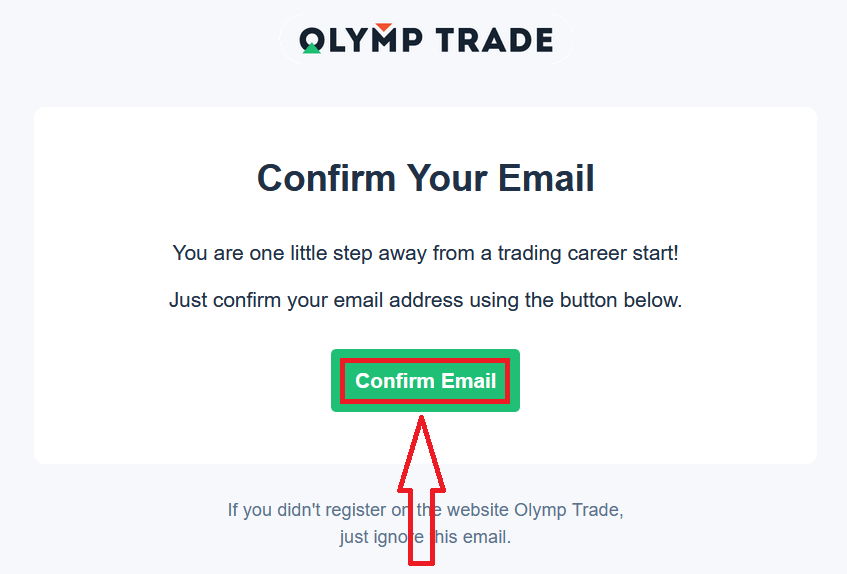
Finally, you access your email, Olymptrade will send you a confirmation mail. Click "Confirm Email" button in that mail to activate your account. So, you will finish registering and activating your account.
How to Register with a Facebook account
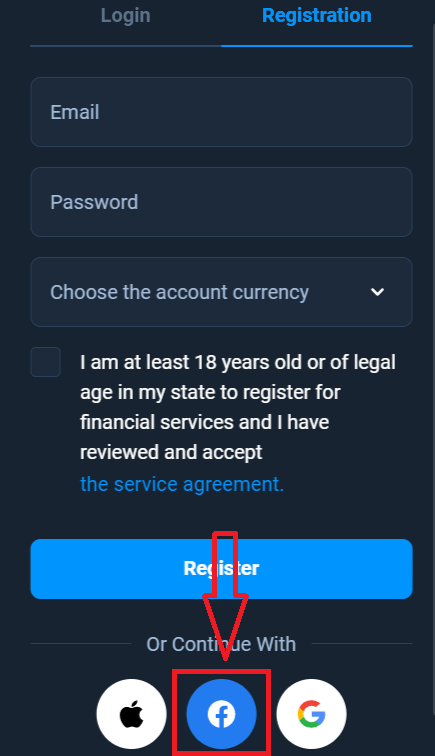
Also, you have an option to open your account by Facebook account and you can do that in just few simple steps:1. Click on Facebook button
2. Facebook login window will be opened, where you will need to enter your email address that you used to register in Facebook
3. Enter the password from your Facebook account
4. Click on “Log In”
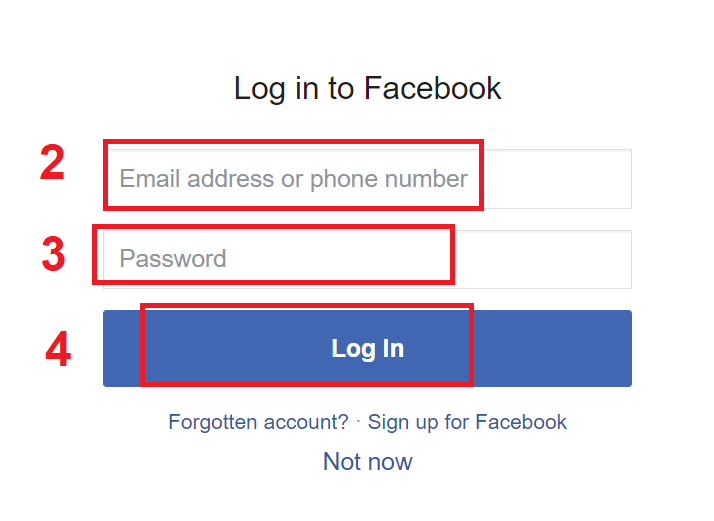
Once you’ve clicked on the “Log in” button, Olymptrade is requesting access to: Your name and profile picture and email address. Click Continue...
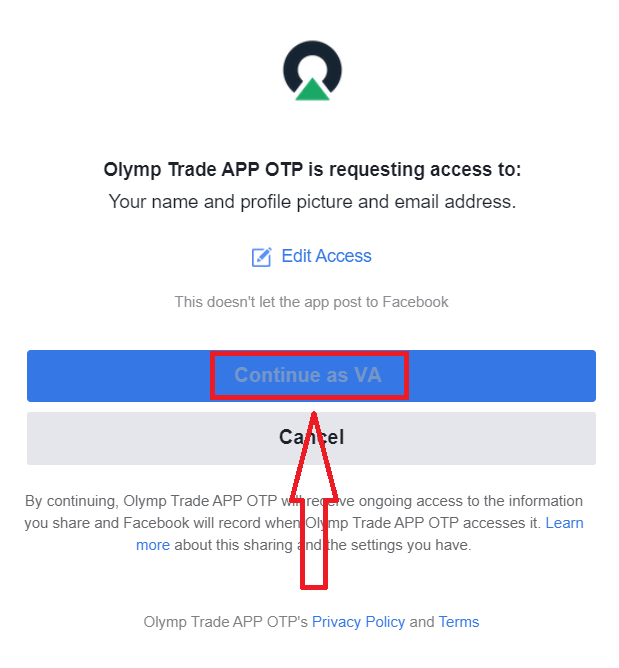
After that you will be automatically redirected to the Olymptrade platform.
How to Register with a Google account
1. To sign up with a Google account, click on the corresponding button in the registration form.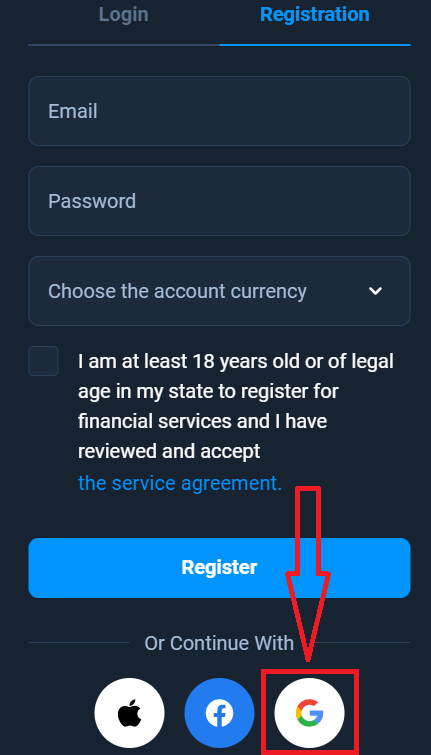
2. In the newly opened window enter your phone number or email and click "Next".
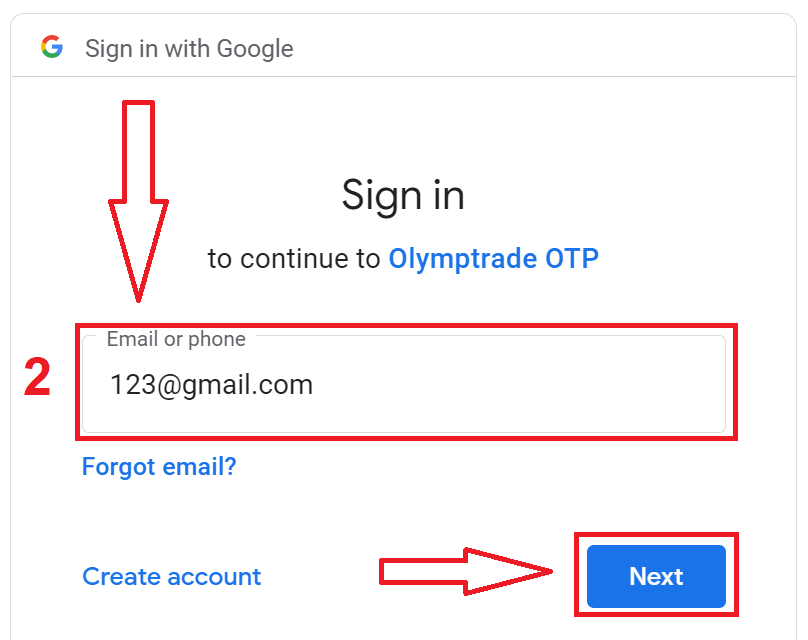
3. Then enter the password for your Google account and click “Next”.
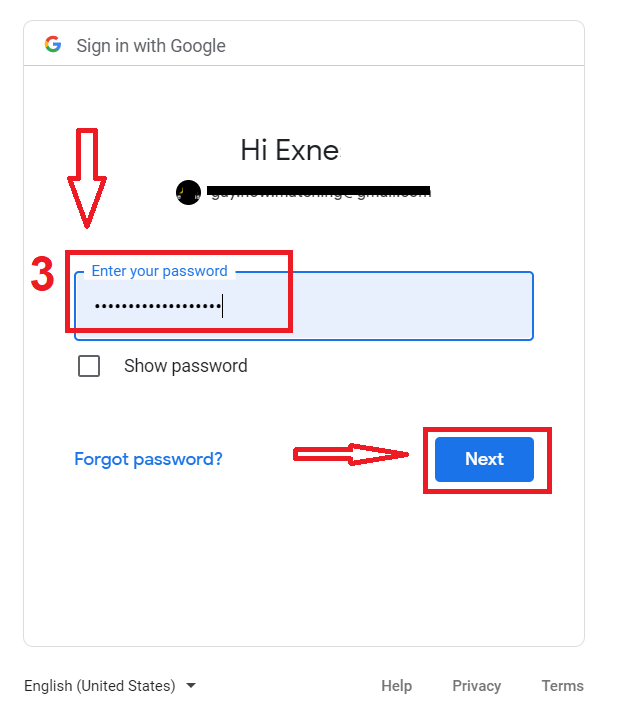
After that, follow the instructions sent from the service to your email address.
How to Register with a Apple ID
1. To sign up with a Apple ID, click on the corresponding button in the registration form.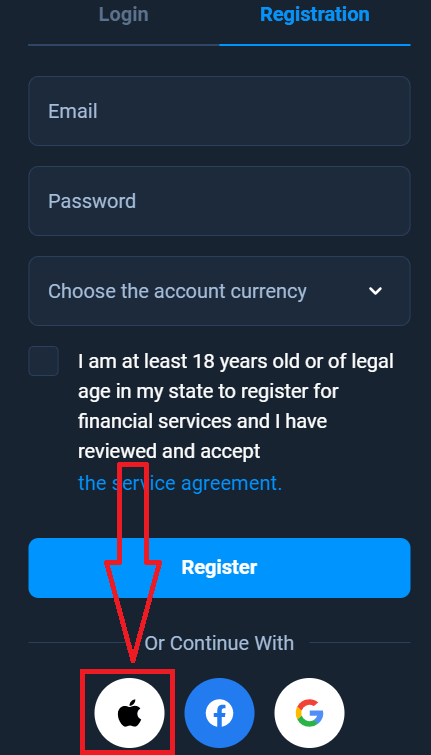
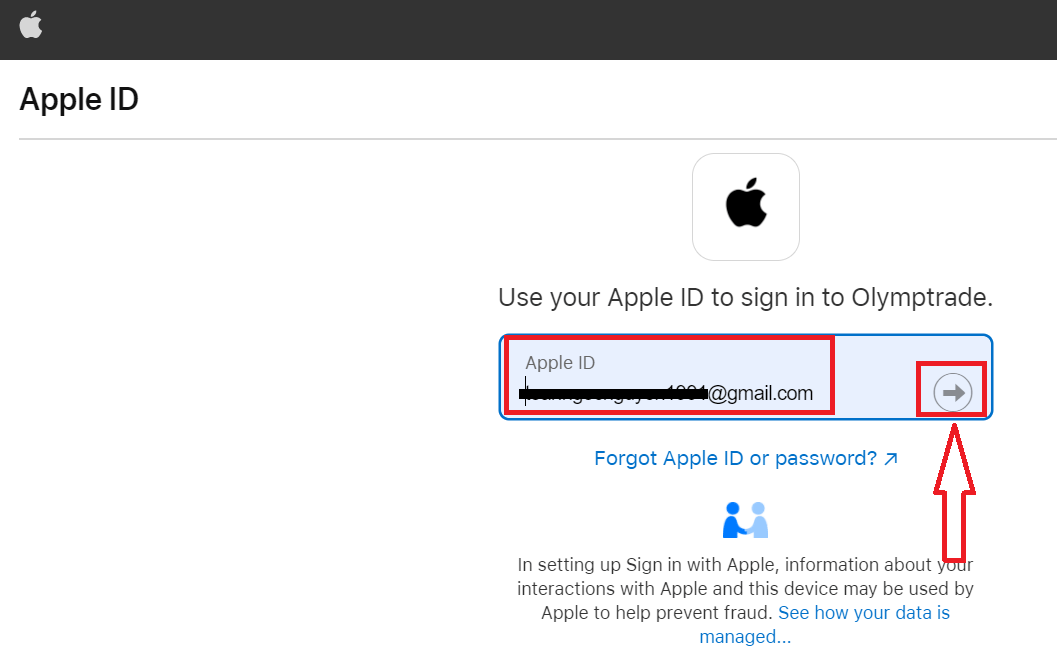
2. In the newly opened window enter your Apple ID and click "Next".
3. Then enter the password for your Apple ID and click “Next”.
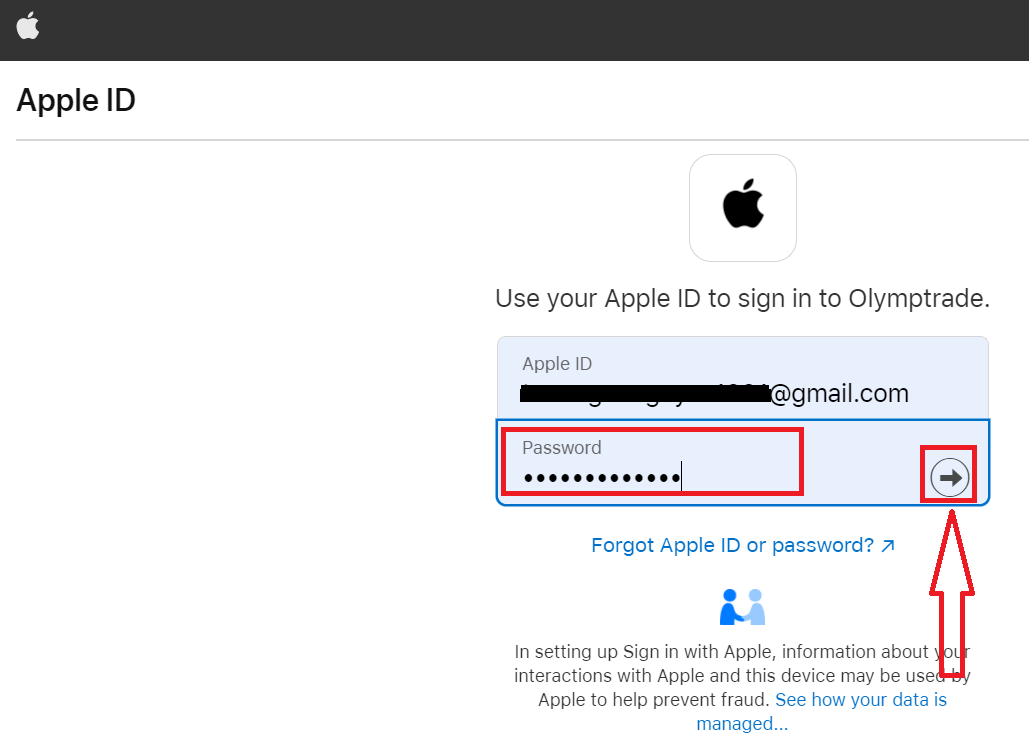
After that, follow the instructions sent from the service and you can start trading with Olymptrade
Register on Olymptrade iOS App
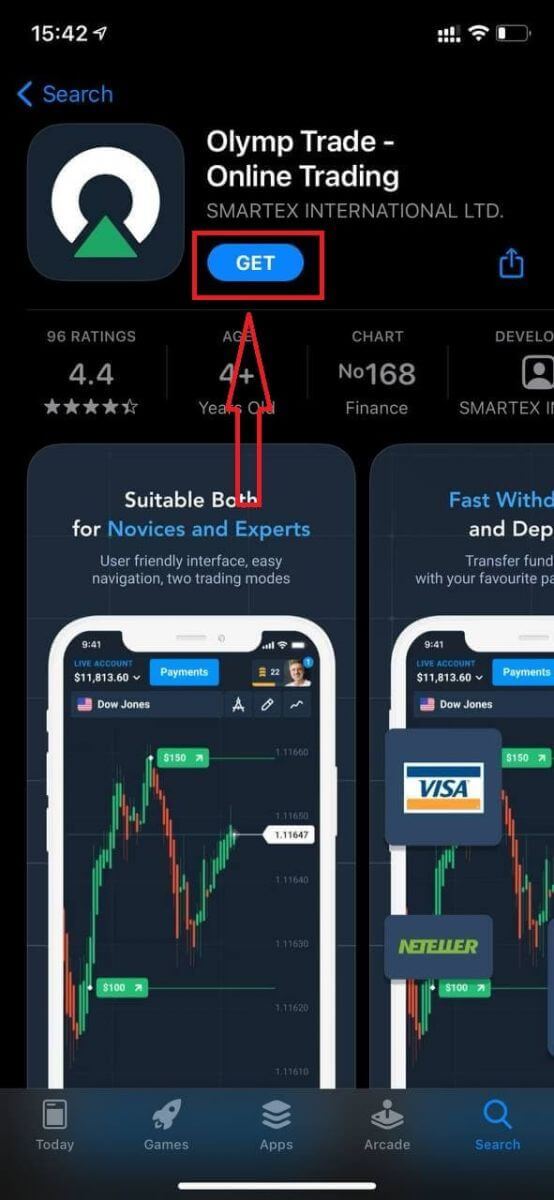
If you have an iOS mobile device you will need to download the official Olymptrade mobile app from App Store or here. Simply search for “Olymptrade - Online Trading” app and download it on your iPhone or iPad.The mobile version of the trading platform is exactly the same as web version of it. Consequently, there won’t be any problems with trading and transferring funds. Moreover, Olymptrade trading app for iOS is considered to be the best app for online trading. Thus, it has a high rating in the store.
Now you can sign up via email
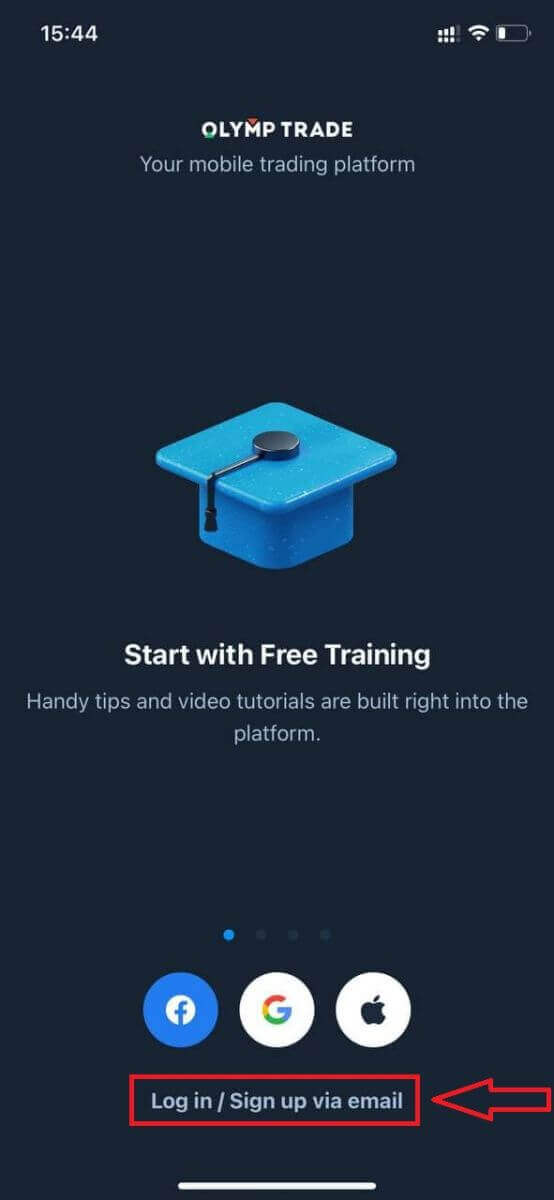
Registration for the iOS mobile platform is also available for you.
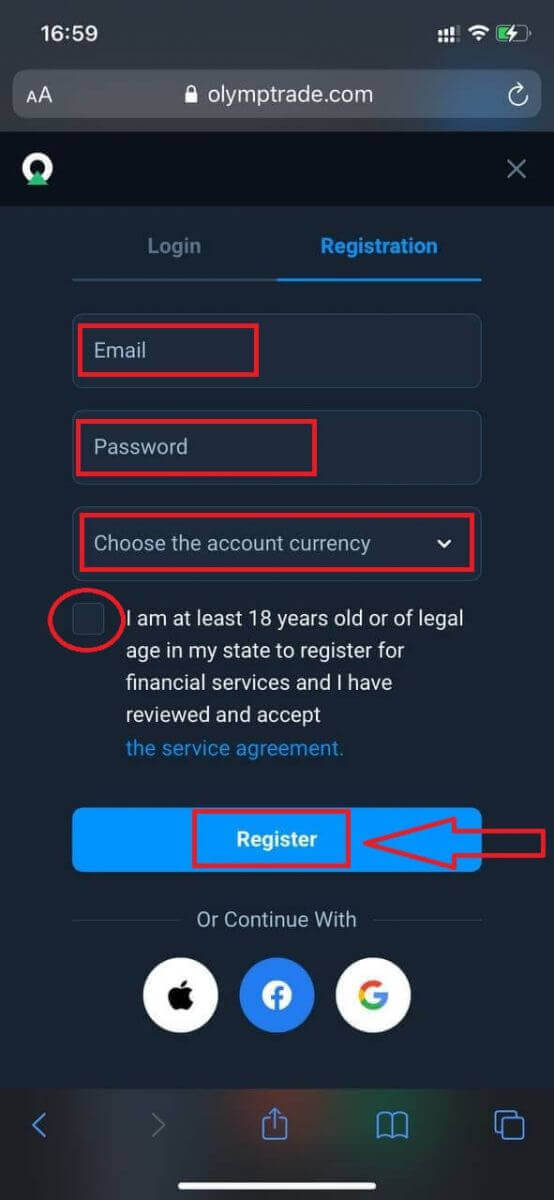
- Enter a valid email address.
- Create a strong password.
- Choose the account currency (EUR or USD)
- You also need to agree to the service agreement and confirm that you are of legal age (over 18).
- Click "Register" button
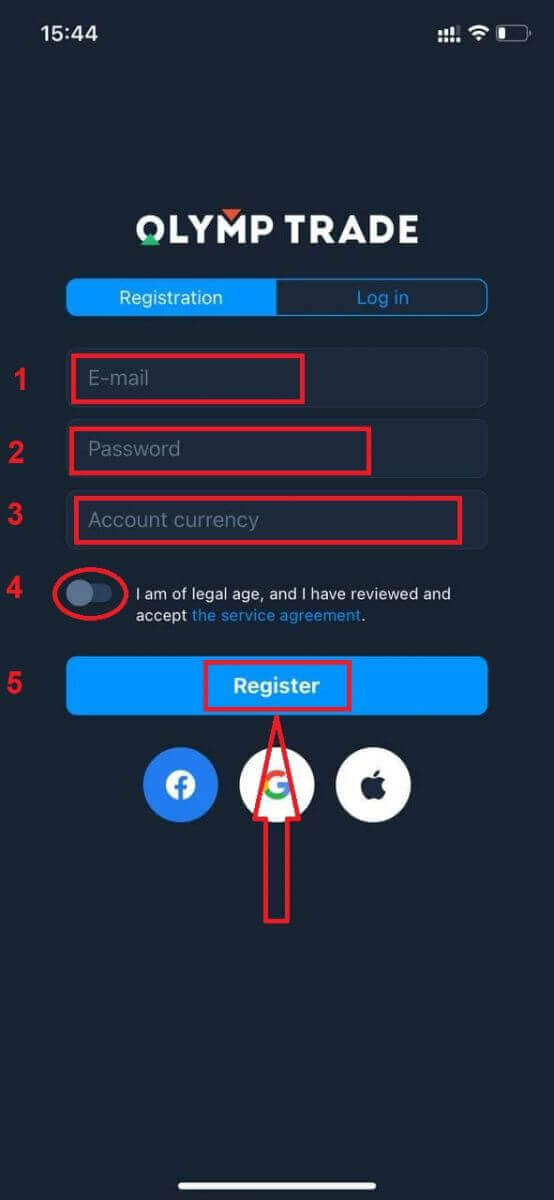
Congratulation! You have registered successfully. Now you have $10,000 in Demo Account.
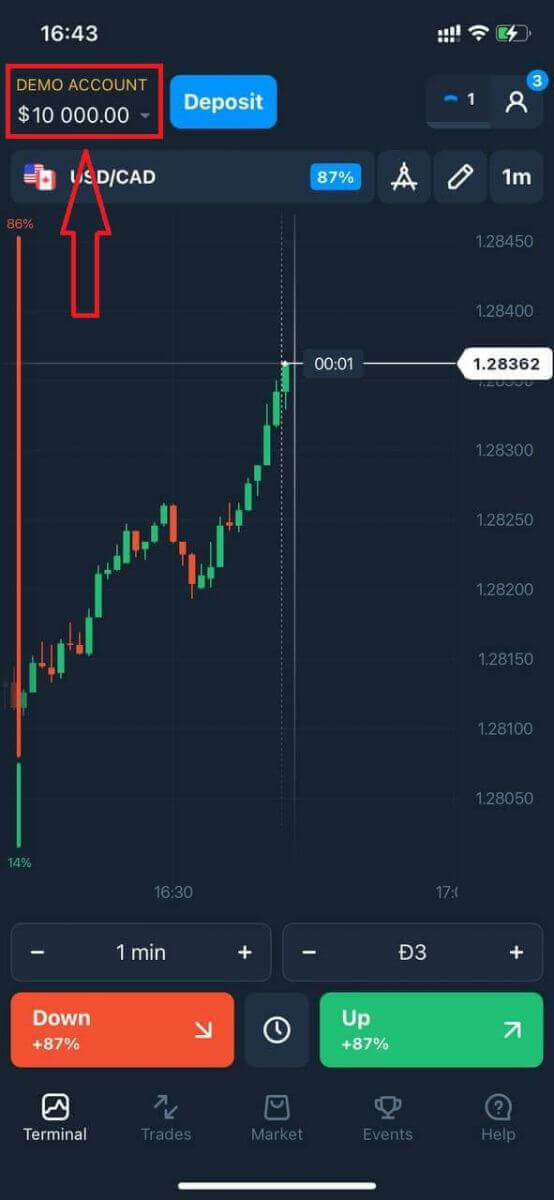
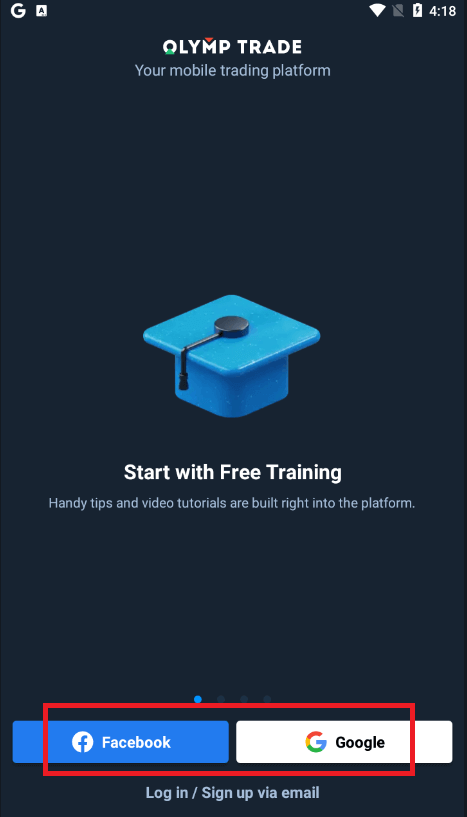
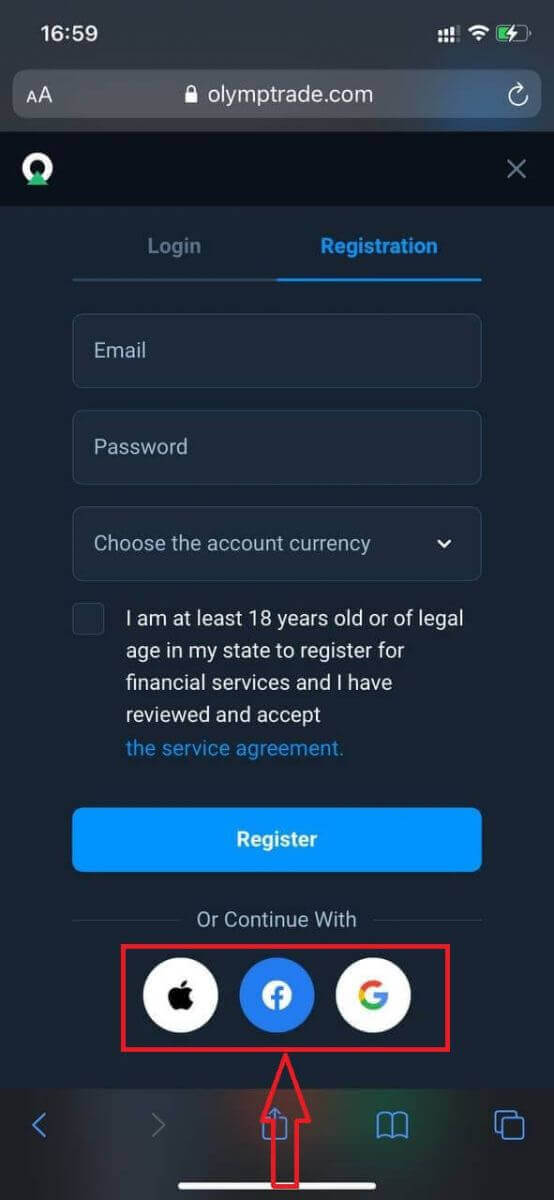
In case of social registration click on “Apple” or “Facebook” or “Google”.
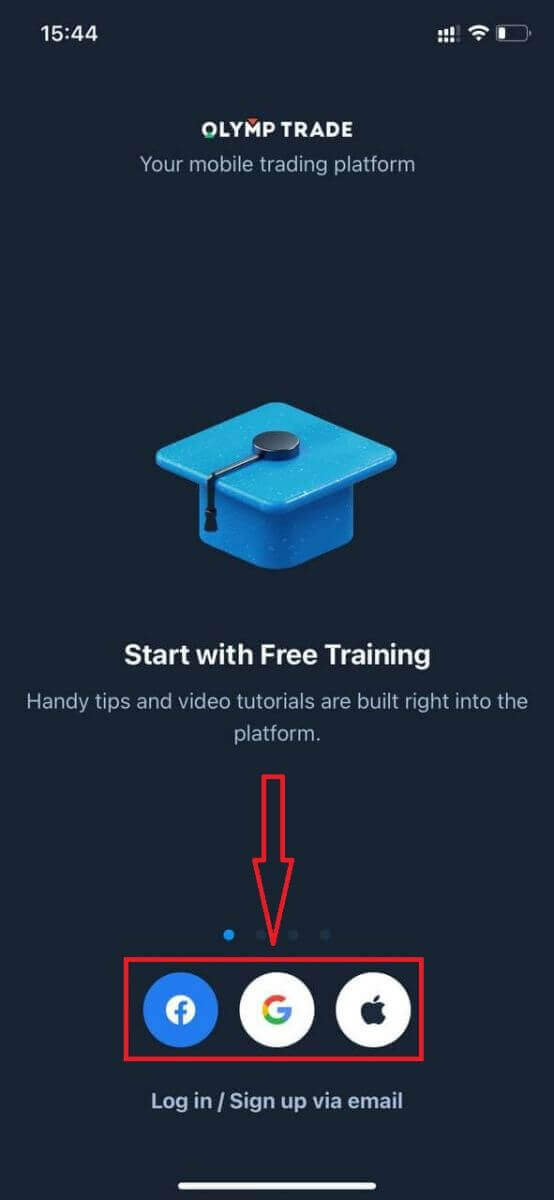
Register on Olymptrade Android App
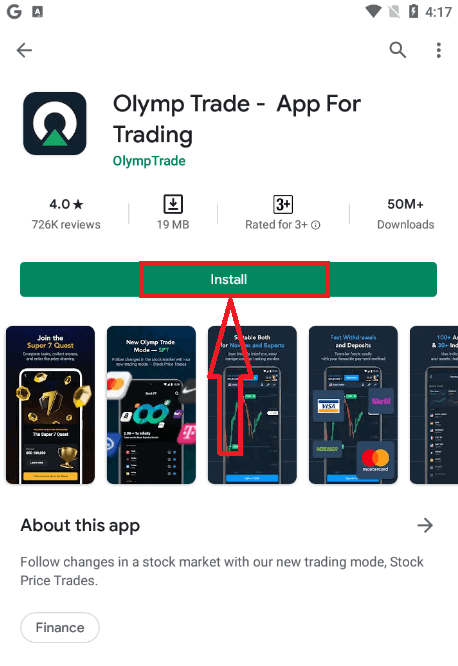
If you have an Android mobile device you will need to download the official Olymptrade mobile app from Google Play or here. Simply search for “Olymptrade - App For Trading” app and download it on your device.The mobile version of the trading platform is exactly the same as web version of it. Consequently, there won’t be any problems with trading and transferring funds. Moreover, Olymptrade trading app for Android is considered to be the best app for online trading. Thus, it has a high rating in the store.
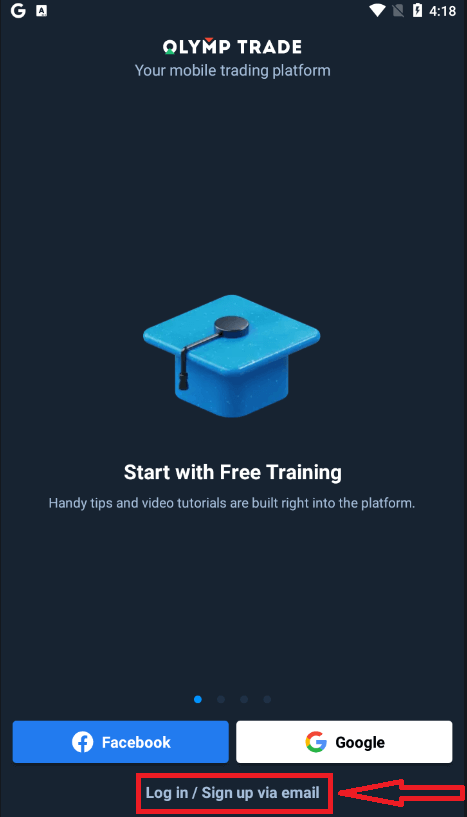
Now you can sign up via email
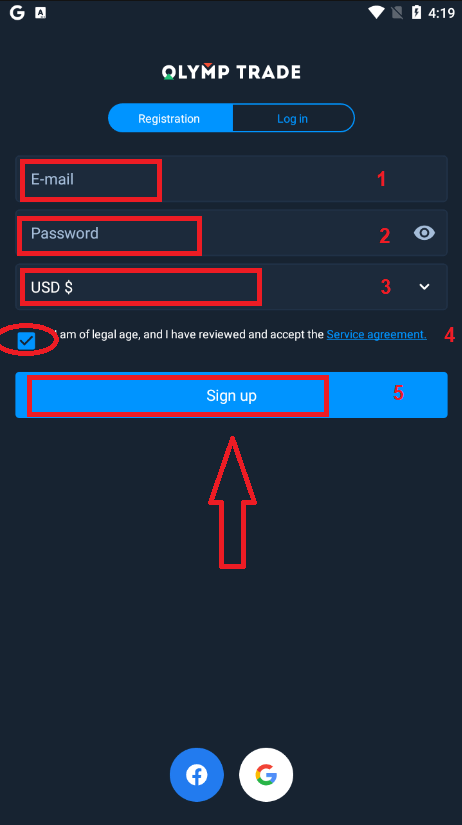
Registration for the Android mobile platform is also available for you.
- Enter a valid email address.
- Create a strong password.
- Choose the account currency (EUR or USD)
- You also need to agree to the service agreement and confirm that you are of legal age (over 18).
- Click "Sign up" button
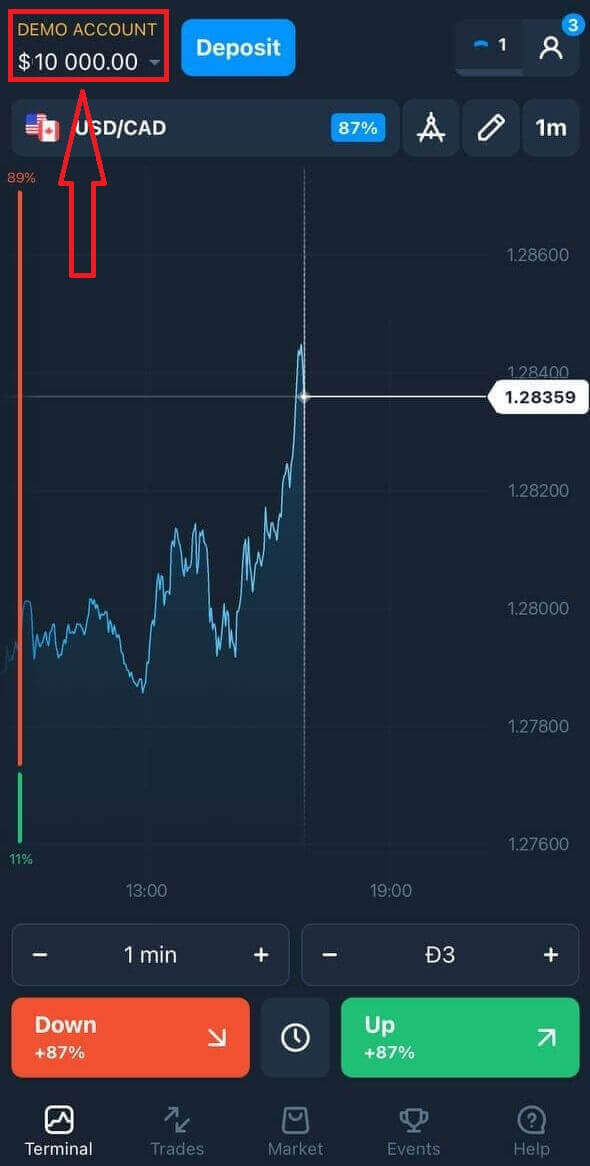
Congratulation! You have registered successfully. Now you have $10,000 in Demo Account.
In case of social registration click on “Facebook” or “Google”.
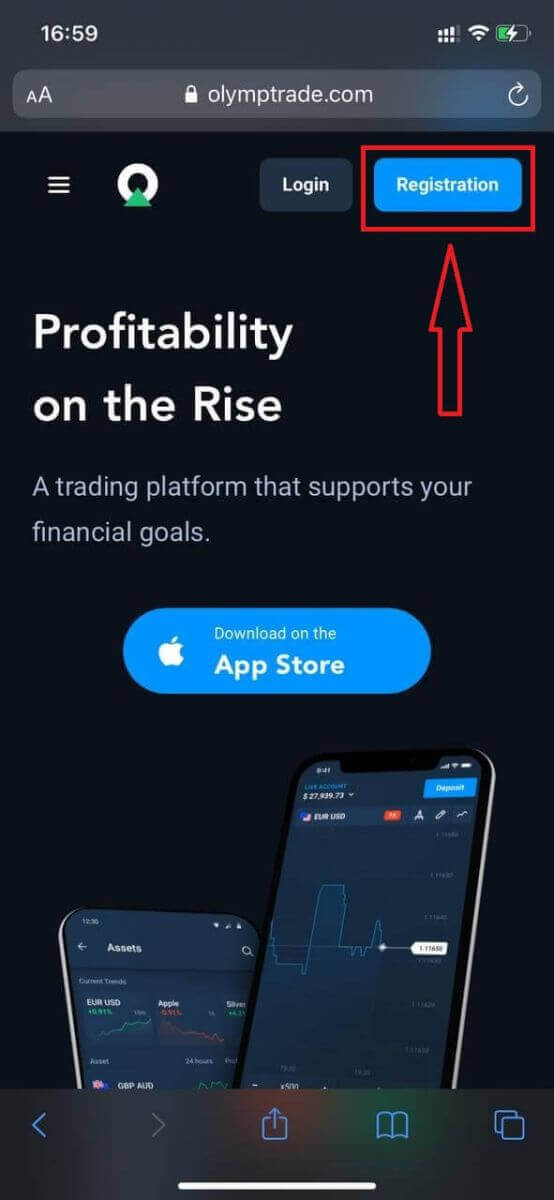
Register Olymptrade account on Mobile Web Version
If you want to trade on the mobile web version of Olymptrade trading platform, you can easily do it. Initially, open up your browser on your mobile device. After that, search for “olymptrade.com” and visit the official website of the broker.Click "Registration" button in the upper right corner.
At this step we still enter the data: email, password, check "Service Agreement" and click "Register" button.
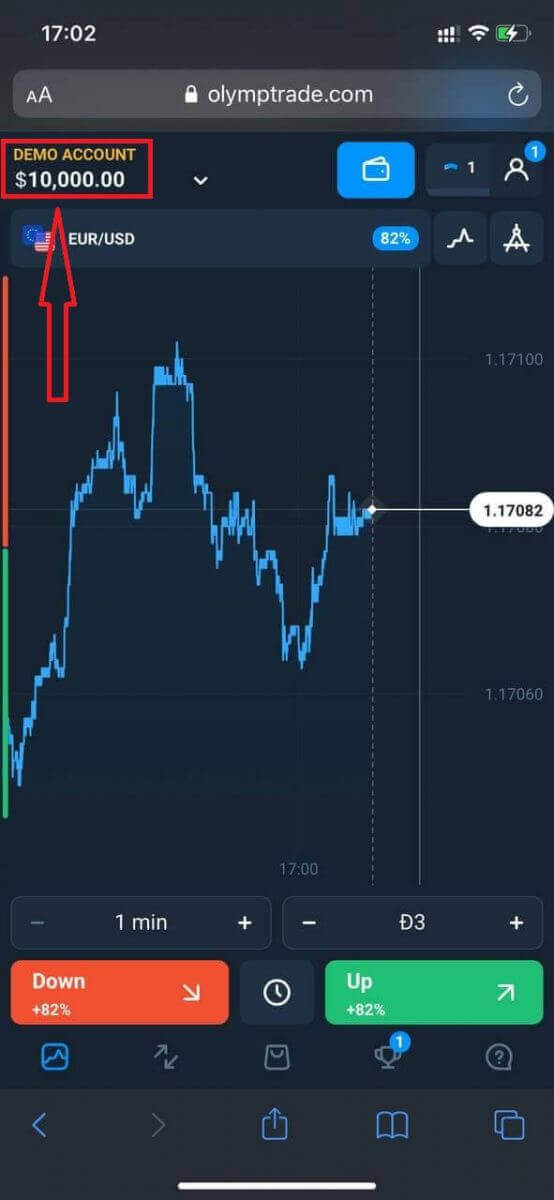
Here you are! Now you will be able to trade from the mobile web version of the platform. The mobile web version of the trading platform is exactly the same as a regular web version of it. Consequently, there won’t be any problems with trading and transferring funds.
You have $10,000 in Demo Account.
In case of social registration click on “Apple” or “Facebook” or “Google”.
Frequently Asked Questions (FAQ)
What are multi accounts?
Multi-Accounts is a feature that allows traders to have up to 5 interconnected live accounts on Olymptrade. During the creation of your account, youll be able to choose among available currencies, like USD, EUR, or some local currencies.
You will have a full control over those accounts, so you are free to decide on how to use them. One could become a place where you keep the profits from your trades, another can be dedicated to a specific mode or strategy. You can also rename these accounts and archive them.
Please note that account in Multi-Accounts are not equal to your Trading Account (Trader ID). You can only have one Trading Account (Trader ID), but up to 5 different live accounts connected to it to store your money.
How to Create a Trading Account in Multi-Accounts
To create another live account, you need to:
1. Go to the "Accounts" menu;
2. Click on the "+" button;
3. Choose the currency;
4. Write the new accounts name.
Thats it, youve got a new account.
Bonuses Multi-Accounts: How It Works
If you have multiple live accounts while receiving a bonus, then it will be sent to the account that you are depositing funds to.
During the transfer between the trading accounts, a proportional amount of bonus money will be automatically sent alongside the live currency. So, if you, for example, have $100 in real money and a $30 bonus on one account and decide to transfer $50 to another, $15 bonus money will be transferred as well.
How to Archive Your Account
If you wish to archive one of your live accounts, please ensure that it satisfies the following criteria:
1. It contains no funds.
2. There are no open trades with money on this account.
3. It is not the last live account.
If everything is in order, you will be able to archive it.
You still the ability to look through that accounts history even after archivation, as the trade history and financial history are available via the users Profile.
What Is a Segregated Account?
When you deposit funds onto the platform, they are transferred directly to a segregated account. A segregated account is essentially an account that belongs to our company but is separate from the account that stores its operational funds.
We use only our own working capital to support our activities such as product development and maintenance, hedging, as well as business and innovative activities.
Advantages of a Segregate Account
Using a segregated account to store our clients’ funds, we maximize transparency, provide the platform users with uninterrupted access to their funds, and protect them from possible risks. Although this is unlikely to happen, if the company went bankrupt, your money would be 100% safe and can be refunded.
How Can I Change the Account Currency
You can only select the account currency once. It cannot be changed over time.
You can create a new account with a new email and select the desired currency.
If you have created a new account, contact support to block the old one.
According to our policy, a trader can only have one account.
How to Trade at Olymptrade
What are "Fixed Time Trades"?
Fixed Time Trades (Fixed Time, FTT) is one of the trading modes available on the Olymptrade platform. In this mode, you make trades for a limited period of time and receive a fixed rate of return for a correct forecast about the movements in currency, stock and other asset prices.Trading in Fixed Time mode is the easiest way to earn money on changes in the value of financial instruments. However, to achieve positive results, you need to take a training course and practice with a free demo account available on Olymptrade.
How do I Trade?
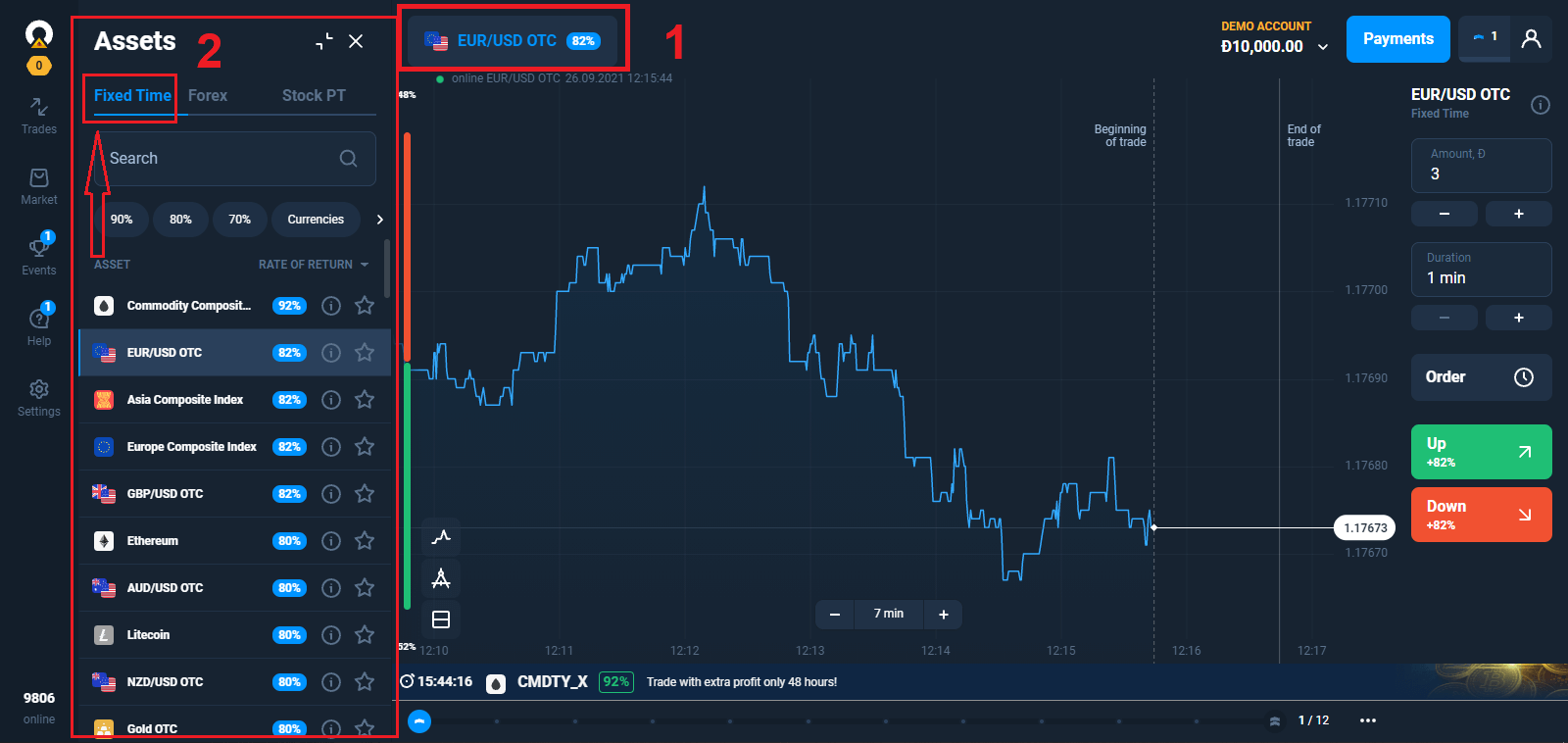
1. Choose asset for trading
- You can scroll through the list of assets. The assets that are available to you are colored white. Click on the assest to trade on it.
- The percentage next to the asset determines its profitability. The higher the percentage – the higher your profit in case of success.
All trades close with the profitability that was indicated when they were opened.
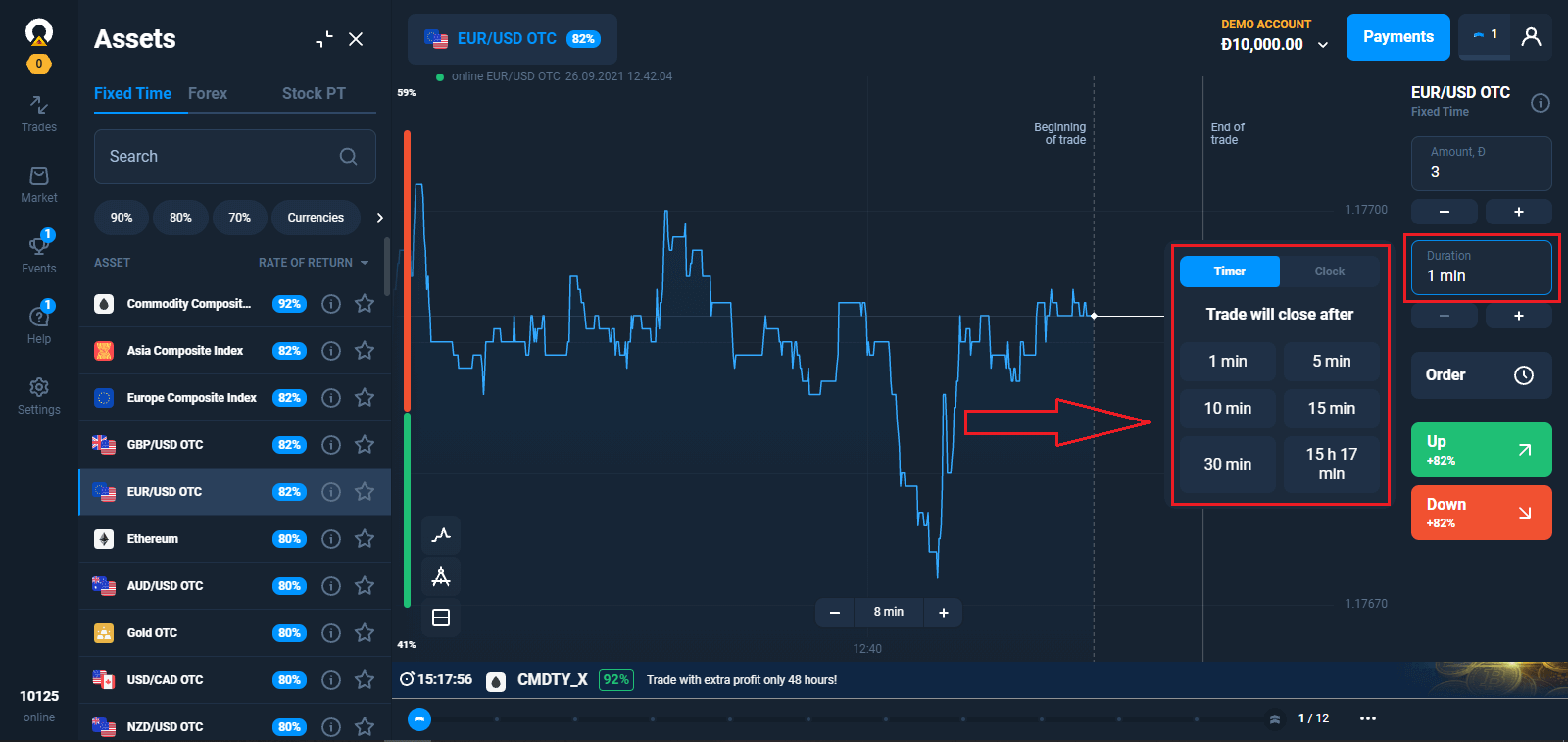
2. Choose an Expiration Time
The expiration period is the time after which the trade will be considered completed (closed) and the result is automatically summed up.
When concluding a trade with Fixed Time, you independently determine the time of execution of the transaction.
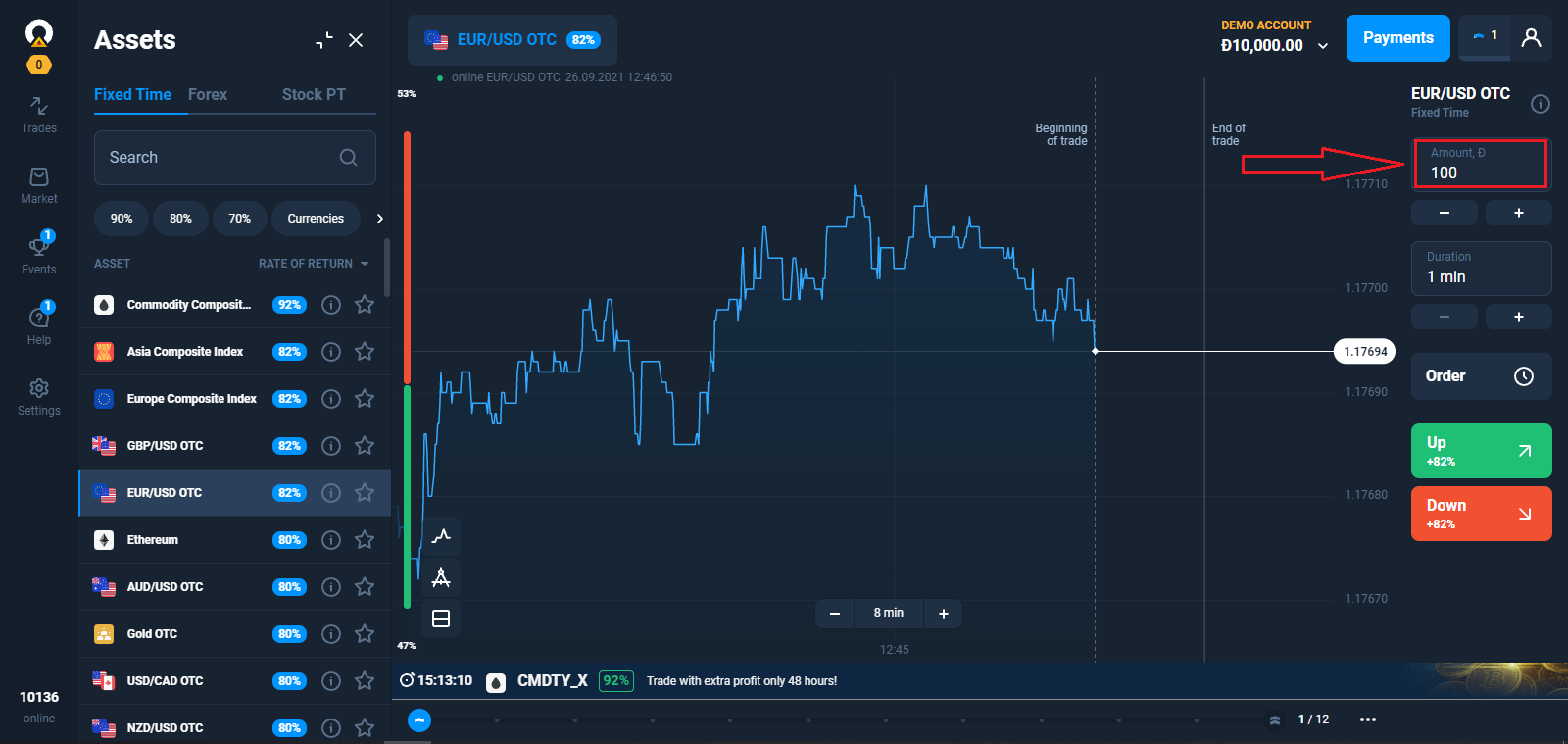
3. Set the amount you’re going to invest.
The minimum investment amount is $1/€1.
For a trader with a Starter status, the maximum trade amount is $3,000/€3,000. For a trader with an Advanced status, the maximum trade amount is $4,000/€4,000. For a trader with an Expert status, the maximum trade amount is $5,000/€5,000.
We recommend you start with small trades to test the market and get comfortable.
4. Analyze the price movement on the chart and make your forecast.
Choose Up (Green) or Down (Red) options depending on your forecast. If you think that the asset price will go up by the end of the selected time period, press the green button. If you plan to profit from a decline in the rate, press the red button.
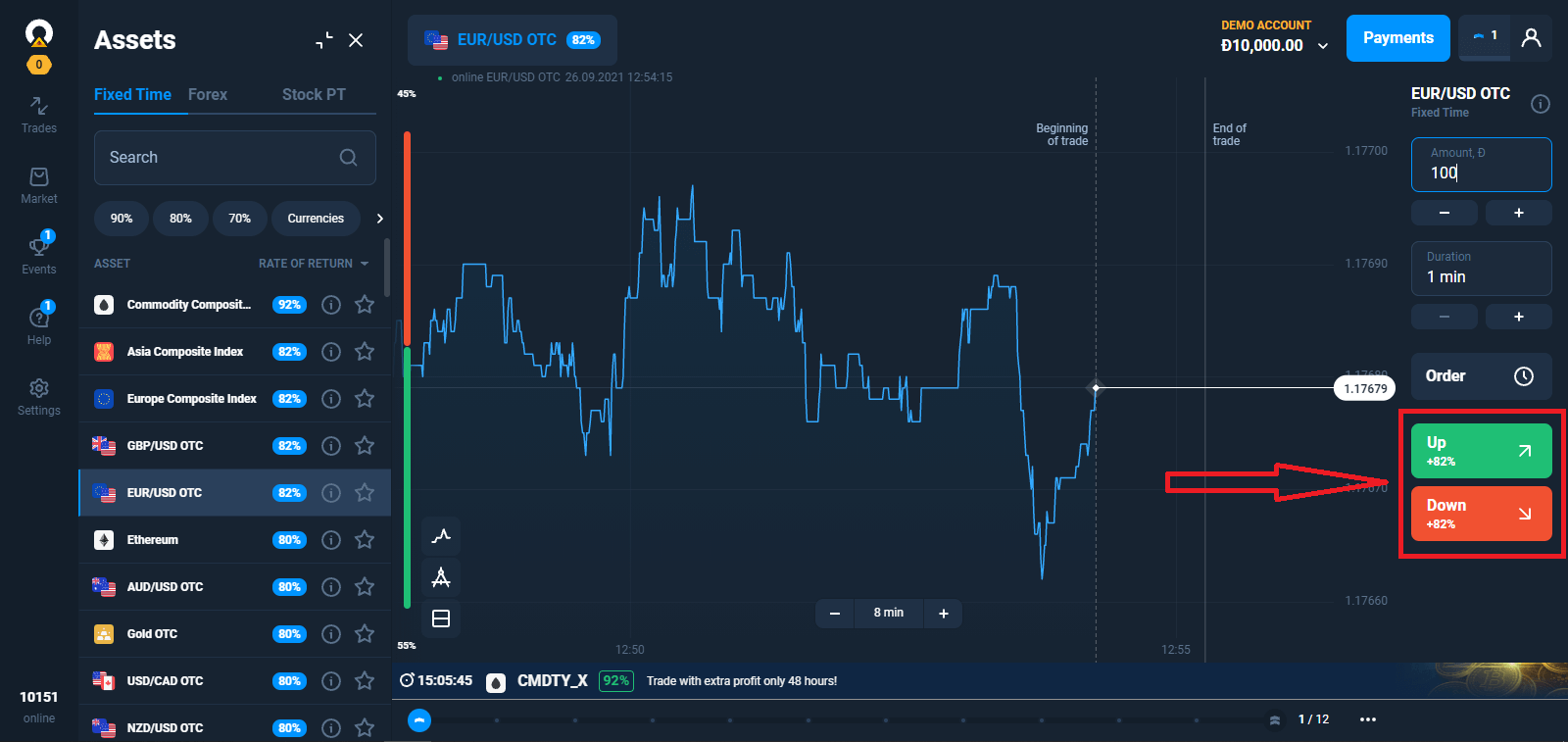
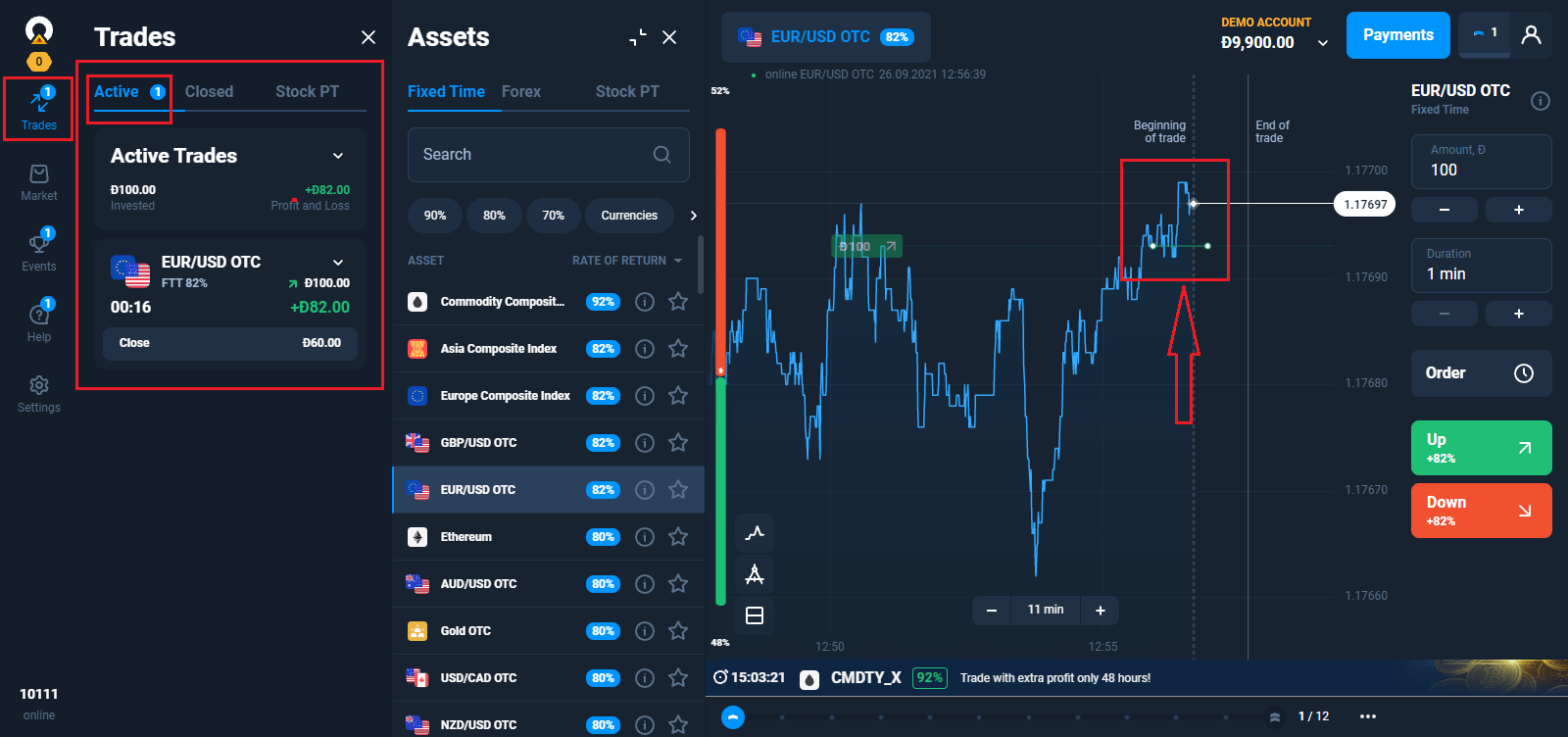
5. Wait for the trade to close to find out whether your forecast was correct. If it was, the amount of your investment plus the profit from the asset would be added to your balance. If your forecast was incorrect – the investment would not be returned.
You can monitor the Progress of your Order in The Trades
Pending Orders
The pending trade mechanism enables you to delay trades or trade when an asset reaches a certain price. This is your order to buy (sell) an option when parameters you specify are met.A pending order can be made only for a "classic" type of option. Note that the return is applicable as soon as the trade is opened. That is, your trade is executed on the basis of the actual return, not on the basis of the percentage of profit when the request was created.
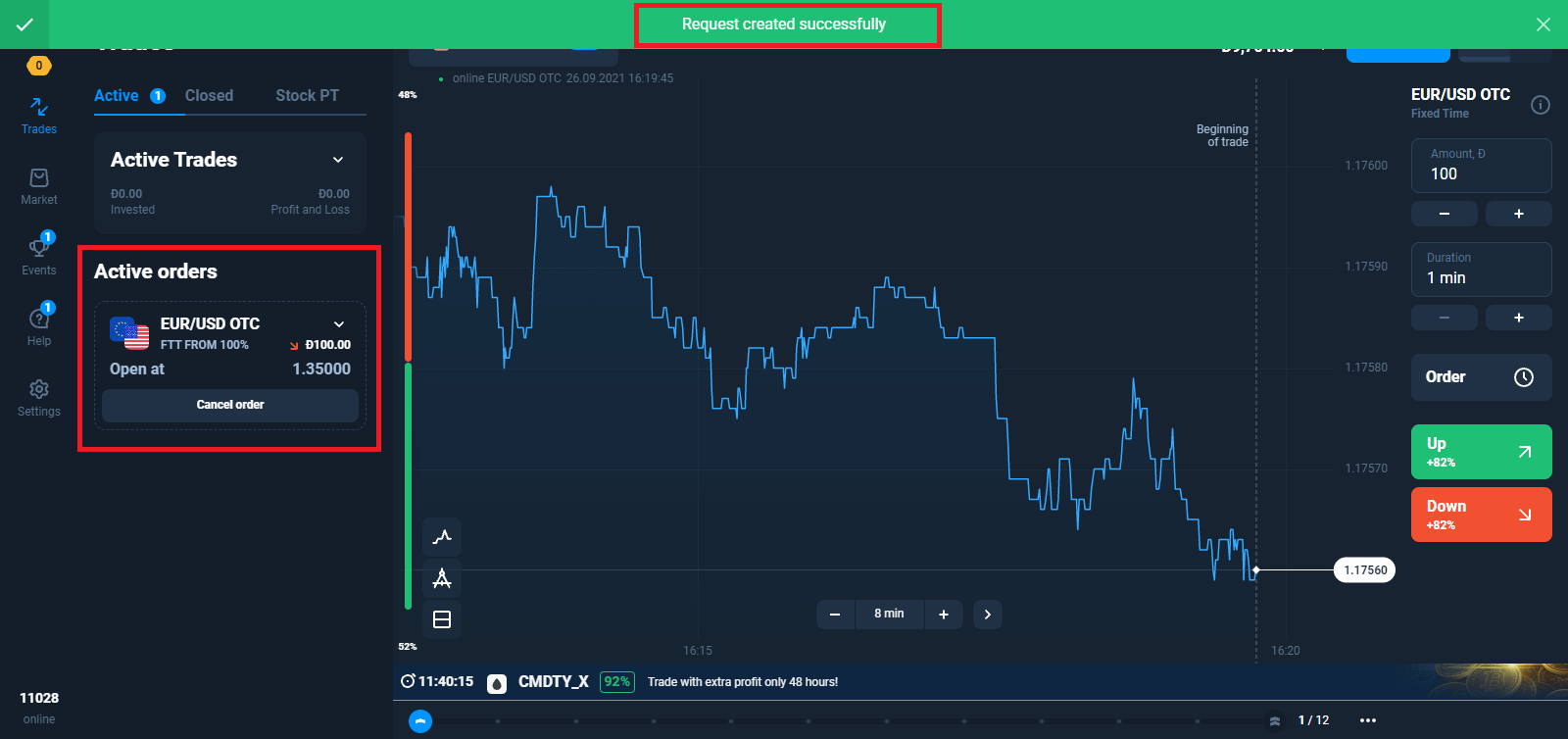
Making a Pending Order Based on an Asset Price
Select the asset, expiration time, and trade amount. Determine the quote at which your trade is supposed to open.
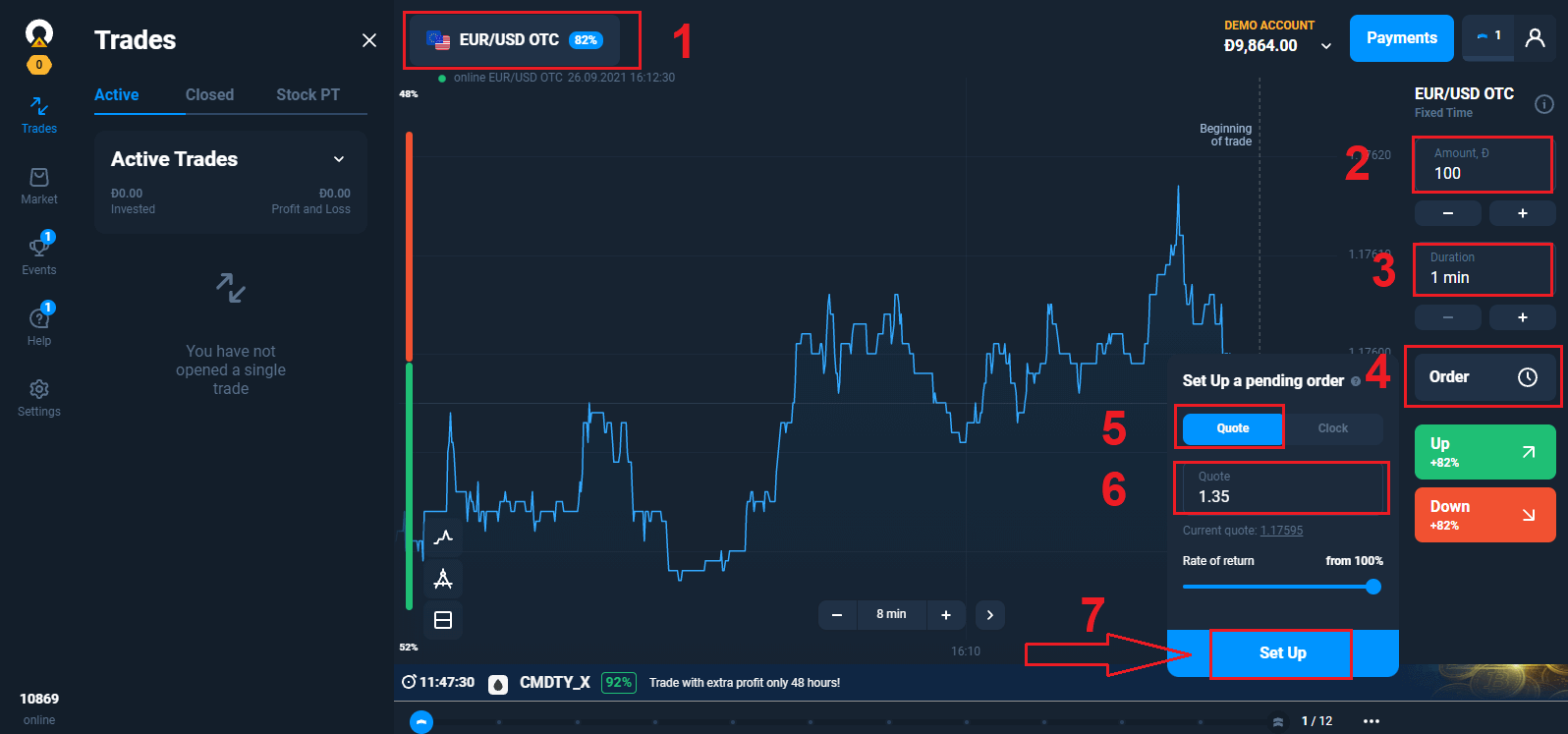
Make a forecast UP or DOWN. If the price of the asset you selected goes up (down) to the specified level or passes through it, your order turns into a trade.
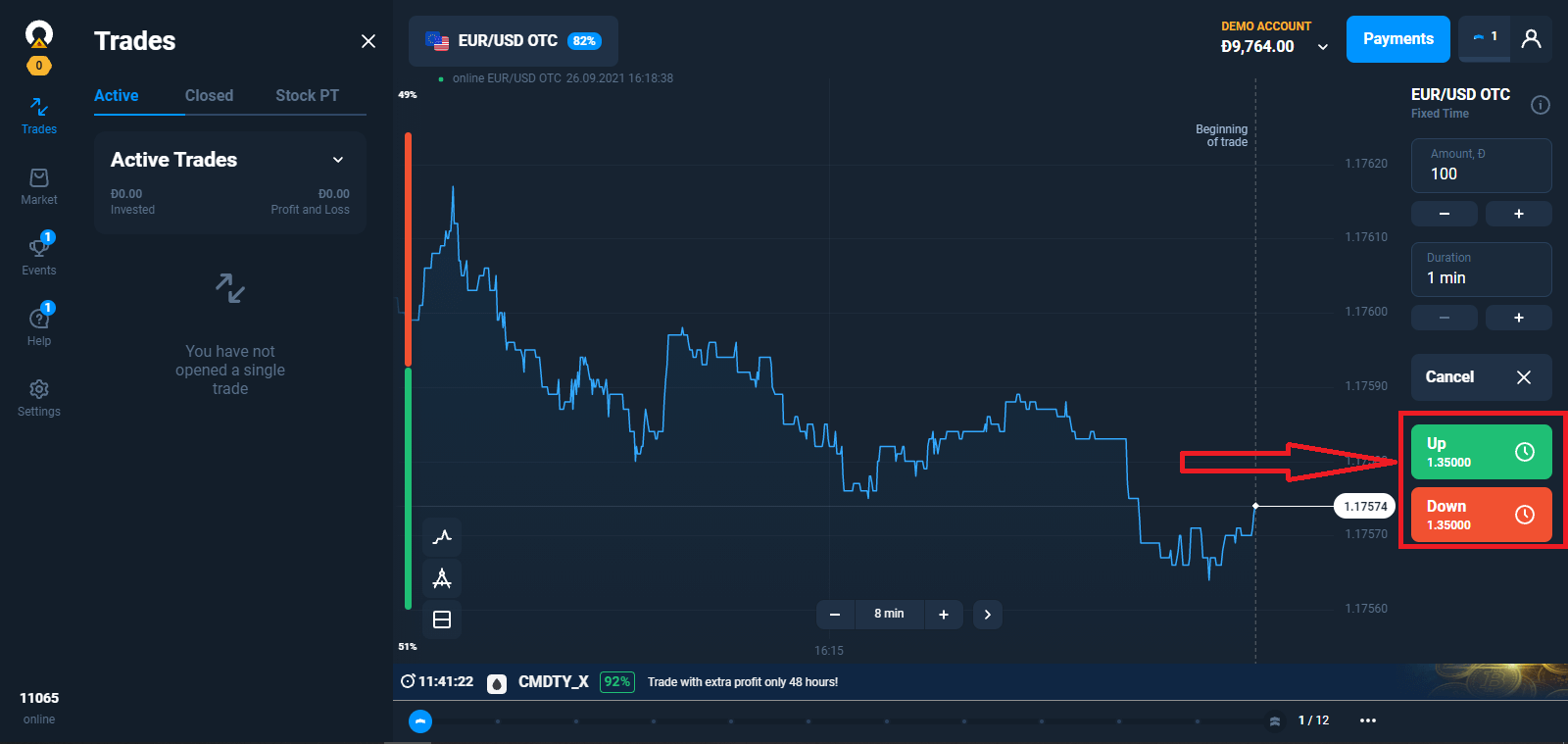
Note that, if the asset price passes the level you set, the trade will open at the actual quote. For example, the asset price is at 1.0000. You want to open a trade at 1.0001 and create an request, but the next quote comes in at 1.0002. The trade will open at the actual 1.0002.
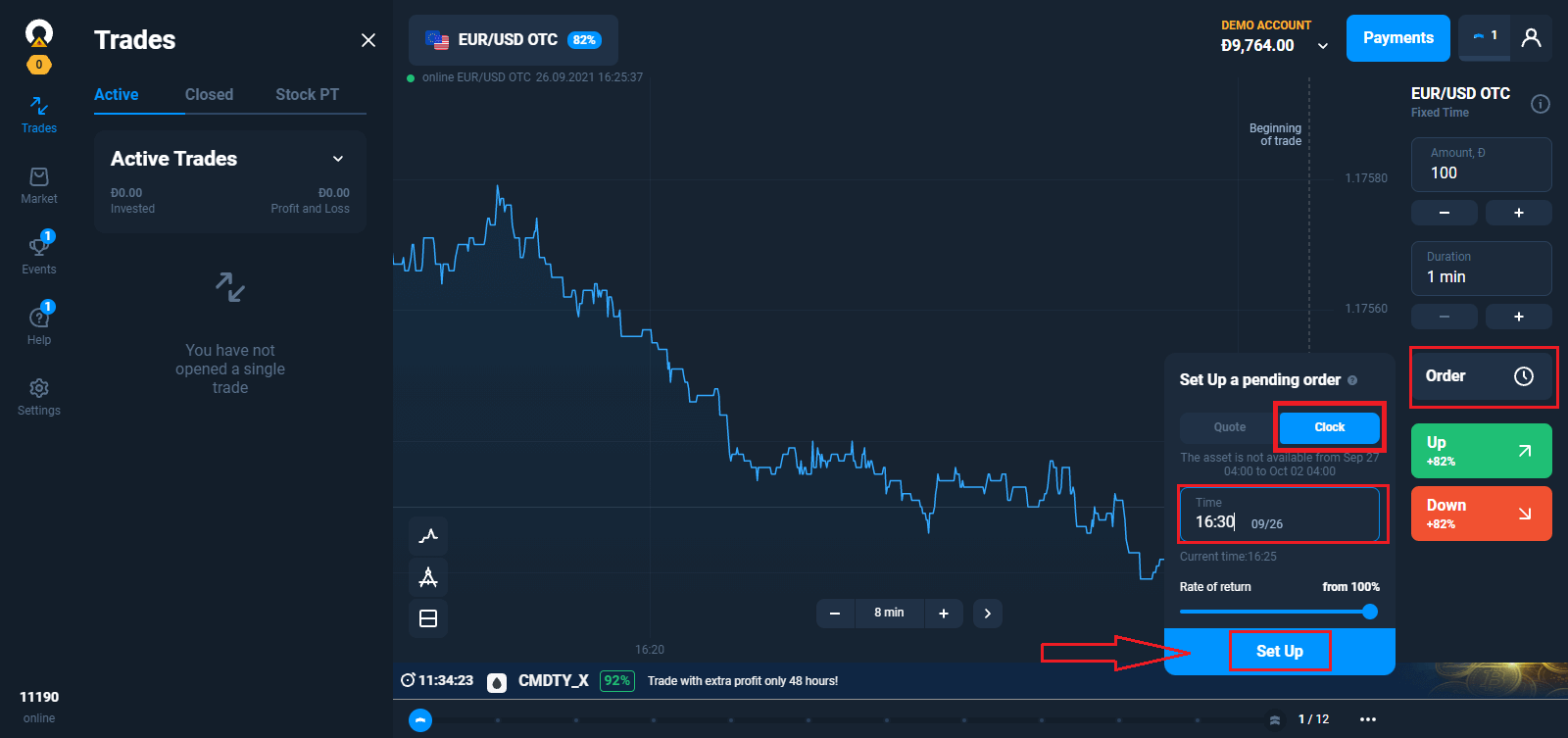
Making a Pending Order for a Specified Time
Select the asset, expiration time, and trade amount. Set the time at which your trade is supposed to open. Make a forecast UP or DOWN. The trade will open right at the time you identified in your order.
Order life
Any order request you submit is valid for one trading session and expires after 7 days. You can cancel your request at any time before the order opens without losing the money you planned to spend on that trade.
Automatic Order Cancellation
A pending order request cannot be executed if:
– the specified parameters have not been achieved before 9:00 PM UTC;
– the specified expiration time is greater than the time remaining until the end of the trading session;
– there are insufficient funds on your account;
– 20 trades were already opened when the target was reached (the number is valid for Starter user profile; for Advanced, it is 50, and for Expert - 100).
If at the time of expiration your forecast proves correct, you will make a profit up to 92%. Otherwise, you will make a loss.
How to trade successfully?
To predict the future market value of assets and make money on it, traders use different strategies.One of the possible strategies is to work with news. As a rule, it is chosen by beginners.
Advanced traders take into account many factors, use indicators, know how to predict trends.
However, even professionals have losing trades. Fear, uncertainty, lack of patience or the desire to earn more bring losses even to experienced traders. Simple rules of risk management help to keep emotions under control.
Technical and Fundamental Analysis for Trading Strategies
There are many trading strategies, but they can be divided into two types, which differ in the approach to forecasting the price of the asset. It can be technical or fundamental analysis.In the case of strategies based on technical analysis, the trader identifies market patterns. For this purpose, graphical constructions, figures and indicators of technical analysis, as well as candlestick patterns are used. Such strategies usually imply strict rules for opening and closing trades, setting limits on loss and profit (stop loss and take profit orders).
Unlike technical analysis, fundamental analysis is carried out "manually". The trader develops their own rules and criteria for the selection of transactions, and makes a decision based on the analysis of market mechanisms, the exchange rate of national currencies, economic news, revenue growth and profitability of an asset. This method of analysis is used by more experienced players.
Why You Need a Trading Strategy
Trading in financial markets without strategy is a blind game: today is lucky, tomorrow is not. Most traders who dont have a specific plan of action are abandoning trading after a few failed trades — they just dont understand how to make a profit.Without a system with clear rules for entering and exiting a trade, a trader can easily make an irrational decision. Market news, tips, friends and experts, even the phase of the moon — yes, there are studies that link the position of the Moon relative to the Earth with the cycles of movement of assets - can cause the trader to make mistakes or to start too many transactions.
Advantages of Working With Trading Strategies

The strategy removes emotions from trading, for example, greed, because of which traders begin to spend too much money or open more positions than usual. Changes in the market can cause panic, and in this case, the trader should have a ready plan of action.
In addition, the use of the strategy helps to measure and improve their performance. If trading is chaotic, there is a risk of making the same mistakes. Therefore, it is important to collect and analyze the statistics of the trading plan in order to improve it and increase profits.
It is worth noting that you do not need to rely entirely on trading strategies — it is always important to check the information. The strategy may work well in the theory based on the past market data, but it does not guarantee success in real time.
Frequently Asked Questions (FAQ)
Do I Need to Install Any Trading Software on My PC?
You can trade on our online platform in the web version right after you create an account. There is no need to install new software, although free mobile and desktop apps are available to all traders.
Can I use robots when trading on the platform?
A robot is some special software that enables to make trades on assets automatically. Our platform is designed to be used by people (traders). So the use of trading robots on the platform is prohibited.According to Clause 8.3 of the Service Agreement, the use of trading robots or similar trading methods that violate the principles of honesty, reliability, and fairness, is a violation of the Service Agreement.
What Should I Do If a System Error Occurs When Loading the Platform?
When system errors occurs, we recommend clearing your cache and cookies. You should also make sure you are using the latest version of the web browser. If you take these actions but the error still occurs, contact our support team.
The Platform Doesn’t Load
Try opening it in some other browser. We recommend using the latest Google Chrome.The system will not let you log in to the trading platform if your location is blacklisted.
Perhaps, there is an unexpected technical problem. Our support consultants will help you solve it.
Why Doesn’t a Trade Open Instantly?
It takes a few seconds to get data from the servers of our liquidity providers. As a rule, the process of opening a new trade takes up to 4 seconds.
How Can I View the History of My Trades?
All information about your recent trades is available in the “Trades” section. You can access the history of all your trades through the section with the same name as your user account.
Selecting the Trading Conditions
There is a Trading Conditions menu next to the asset chart. To open a trade, you need to select:– The trade amount. The amount of potential profit depends on the chosen value.
– The trade duration. You can set the exact time when the trade closes (for example, 12:55) or just set the trade duration (for example, 12 minutes).